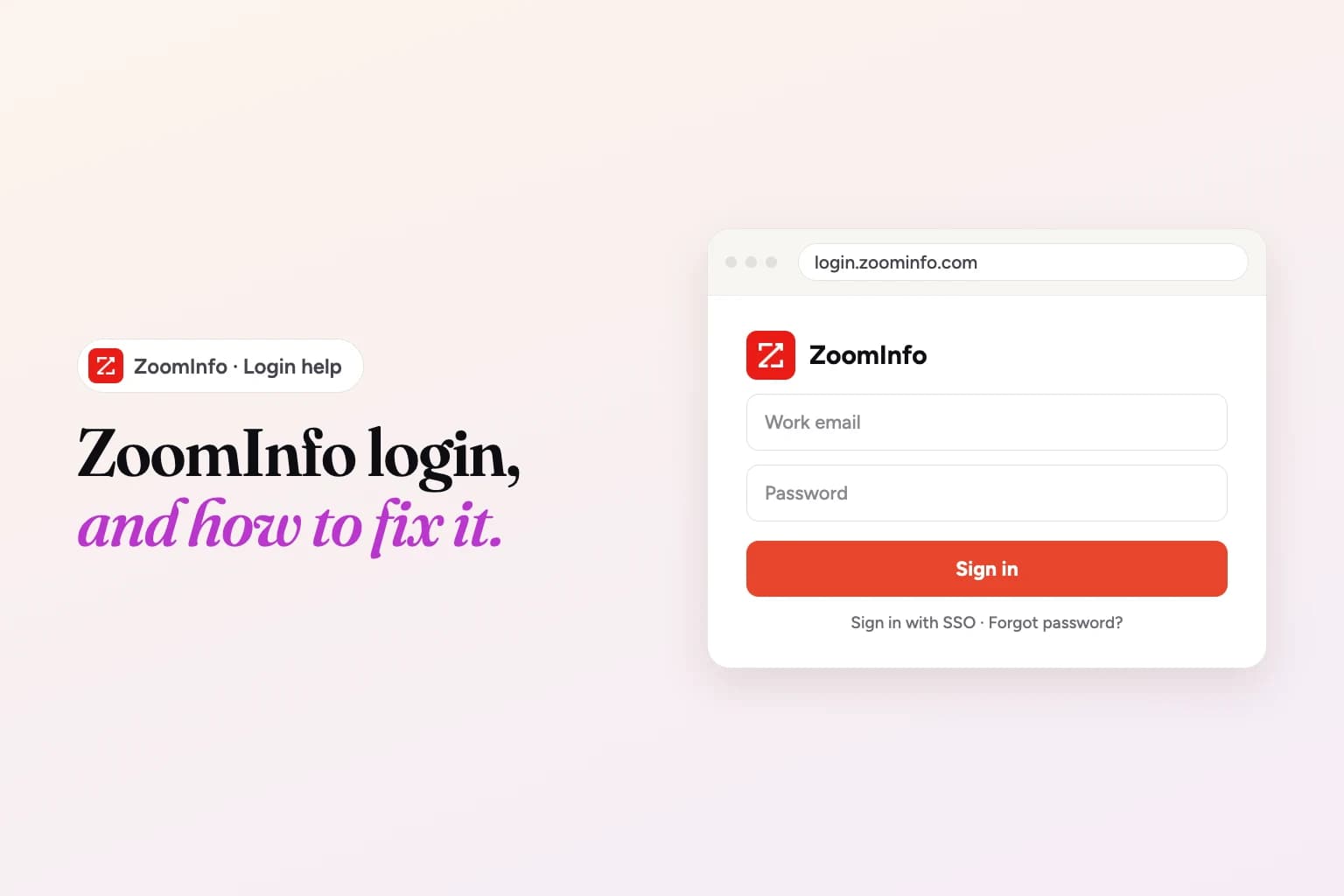
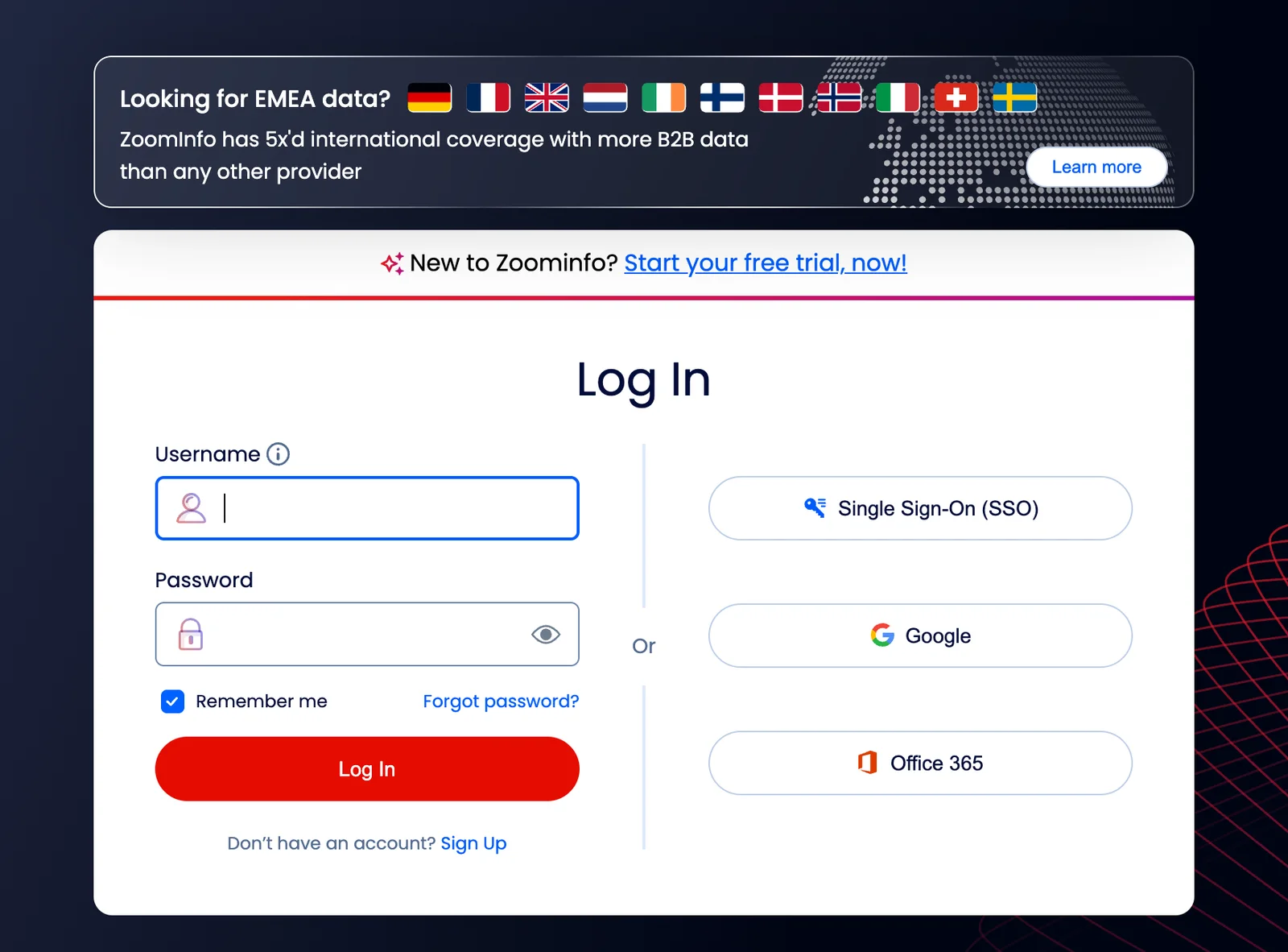
The ZoomInfo login page is login.zoominfo.com. ZoomInfo describes it as the place to log in "using username & password, SSO, Google, or Office 365", and the "Log In" link on zoominfo.com goes to the same page (so does zoominfo.com/login, which redirects there).
If that page worked for you, you're done. This guide is for everything around it: which of ZoomInfo's many addresses you actually need, what to do when your company uses single sign-on, where your two-step code comes in, how to reset a password, how to get access if your company already pays for ZoomInfo, and where to go when nothing works. We checked every address and step on ZoomInfo's own pages on November 22 2026.
Who's writing this: we make Weezly, a LinkedIn and email outreach tool with its own leads database, so in contact data we compete with ZoomInfo. We haven't used ZoomInfo's login ourselves; everything below comes from ZoomInfo's public pages, linked as we go. There's a short section about Weezly near the end.
Looking for Zoom, not ZoomInfo?
This happens a lot, so it's worth saying first. Zoom is the video meeting app, and you sign in to it at zoom.us/signin. ZoomInfo is a separate company (ZoomInfo Technologies, based in Waltham, Massachusetts) that sells B2B contact and company data to sales, marketing and recruiting teams. The two aren't connected, and a Zoom account won't sign you in to ZoomInfo or the other way round.
A quick tell: if you're trying to join a meeting, you want Zoom. If you're trying to look up someone's work email or phone number, you want ZoomInfo.
Which ZoomInfo address is which
ZoomInfo runs several sites, and people often bookmark the wrong one. Here's what each address is for, as of November 2026:
| Address | What it is | When you need it |
|---|---|---|
| login.zoominfo.com | The ZoomInfo login page | Every time you sign in |
| app.zoominfo.com | The ZoomInfo app itself (its page title is "ZoomInfo for Sales") | Where you work once you're signed in |
| admin.zoominfo.com | The ZoomInfo Admin Portal | Only for your company's ZoomInfo admins, who manage users and settings |
| help.zoominfo.com | The ZoomInfo Knowledge Center | Help articles, including login and two-factor troubleshooting |
| status.zoominfo.com | ZoomInfo's status page | To check whether the problem is on ZoomInfo's side |
| signup.zoominfo.com | Sign-up for ZoomInfo Lite, the free account | Only if you don't have a company seat |
If a bookmark to app.zoominfo.com or admin.zoominfo.com shows you a sign-in screen, start at login.zoominfo.com instead. That page is the front door for all of them.
How to sign in to ZoomInfo
ZoomInfo's login page offers four ways in. Which one you use depends on how your account was set up, not on what you prefer that day.
Username and password
- Go to login.zoominfo.com.
- Enter your username, which is the business email your account was created with.
- Enter your password and sign in.
- If your account has two-step verification turned on, enter the code (more on that below).
Google or Office 365
If your account is tied to a Google Workspace or Microsoft 365 work account, use the matching button and pick that same work account. Choosing a personal Gmail or a different Microsoft account is the usual reason this fails, because ZoomInfo looks for a user with that exact email.
Single sign-on (SSO), including Okta
Many companies that buy ZoomInfo connect it to their identity provider, so you sign in with your company login instead of a ZoomInfo password. ZoomInfo's login site has a separate Single Sign-On page at login.zoominfo.com/sso: enter your work email and you're sent to your company's identity provider (Okta, Microsoft Entra ID or similar) to finish.
Okta lists ZoomInfo in its integration catalog, including user onboarding and off-boarding through SCIM. In practice that means your IT team may be the one that adds you to ZoomInfo and removes you when you leave. So if SSO is set up at your company and you can't get in, the fix is usually with IT, not ZoomInfo: ask them to check that the ZoomInfo app is assigned to you.
Two-step verification: where the code comes from
After your password, ZoomInfo may ask for a verification code. The sign-in pages include steps for codes from an authenticator app (Google Authenticator and Okta Verify both appear in the setup flow), by text message, or by email. Which one you see depends on what was set up for your account.
A few things to check if the code won't go through:
- Authenticator codes change every few seconds. Type the current one, not one you read a minute ago.
- Your phone's clock matters. Authenticator codes are based on time, so set your phone's date and time to automatic.
- New phone? An authenticator app setup doesn't always move with you. Ask your company's ZoomInfo admin or ZoomInfo support to reset your two-step setup.
- Text message codes go to the number on your account. If that number changed, ask your admin or ZoomInfo support for help.
ZoomInfo's Knowledge Center has a dedicated article on this, "Solving for Two-Factor Authentication Issues", at help.zoominfo.com.
How to reset your ZoomInfo password
ZoomInfo's own help page puts it in one line: click "Forgot Password" on the login screen and follow the instructions to reset it by email. Step by step:
- On login.zoominfo.com, click Forgot Password.
- Enter the business email on your account.
- Open the reset email from ZoomInfo and follow the link.
- Choose a new password. ZoomInfo's rule is 8 to 20 characters with at least one letter and one number.
Use the link soon. If you wait too long, ZoomInfo shows "Your reset password link has expired. Please try again." and you'll need to request a new one.
Two cases where a reset won't help: if you sign in with SSO, your password lives with your company, so reset it the way IT tells you to. And if you use the Google or Office 365 button, just keep using it.
How to get access if your company has ZoomInfo
On a company account, each person needs to be added as a user. You can't add yourself; someone with admin access has to do it. Here's how that usually goes, based on ZoomInfo's onboarding page:
- The admin is activated first. When a company signs up, its ZoomInfo admin gets an automated activation email from ZoomInfo. If it's missing, ZoomInfo says to check spam, then request a reset from the login page.
- The admin adds users from the Admin Portal.
- You get an email to set up your access. Sign in with the same business email it was sent to.
Don't know who your admin is? Ask your sales ops or RevOps team, or your manager. If nobody knows, ZoomInfo's trust center says account help is available through help.zoominfo.com, by email at helpmenow@zoominfo.com, or through your account representative.
No company seat? There's ZoomInfo Lite
ZoomInfo also has a free account called ZoomInfo Lite, which comes with a monthly allowance of credits. ZoomInfo's FAQ says anyone with a valid business email can sign up, and personal addresses like Gmail or Yahoo aren't accepted. Unused credits don't carry over to the next month. A Lite account is separate from your company's seat, so if your company later adds you, make sure you sign in with the right one.
Signing in to the ZoomInfo Chrome extension
The extension has its own sign-in. ZoomInfo's Chrome Web Store listing says: "Already a ZoomInfo customer? Install the extension and sign in with your ZoomInfo account to get started." So you use the same login as the web app, whether that's a password, Google, Office 365 or SSO. ZoomInfo's onboarding page also notes the extension only works with Google Chrome. For install steps, where it works and fixes when it shows nothing, see our ZoomInfo Chrome extension guide.
ZoomInfo login not working? Common problems and fixes
"Your username is not valid" or "Your password is not valid"
Check that you're using your full business email, with no extra space at the end, and that Caps Lock is off. If you're sure it's right, reset the password. If your company uses SSO or Google or Office 365 sign-in, a password may not exist for your account at all, so use that button instead.
"Please provide a valid business email"
ZoomInfo accounts run on business emails. A personal address won't work, for sign-in or for a new Lite account.
You never got the activation or reset email
Look in spam, junk and any quarantine your company's email filter keeps. Then ask IT whether mail from ZoomInfo is being blocked. Also double-check which email your admin used when they added you.
The page loops back to the login screen
Try a private (incognito) window. If that works, clear ZoomInfo's cookies in your normal browser, or turn off extensions that block scripts or cookies, then try again. If it fails in every browser, check status.zoominfo.com. If the problem is on ZoomInfo's side, waiting is the only fix.
You can log in, but data or features are missing
That's your seat, not your login. What you can see depends on the products and permissions your company bought. Ask your ZoomInfo admin.
Your account was deactivated
Access is managed by your company's ZoomInfo admin, so a removed seat or an ended contract can switch it off. Only your admin or ZoomInfo can turn it back on.
Still stuck?
Use ZoomInfo's Customer Support form, call +1 866-904-9666 (the number on its help center page), or email helpmenow@zoominfo.com. It helps to send the exact error message and the email you sign in with.
Need emails, not the full ZoomInfo stack?
Some people searching for the ZoomInfo login are on a teammate's seat, a trial that ended, or a renewal they're unsure about. If that's you, it's worth knowing what you'd give up and what a lighter tool covers.
ZoomInfo is strong at depth. Its Chrome Web Store listing describes 500M+ contacts and 100M+ companies, with verified business emails, direct dials and mobile numbers, plus intent signals and account fit scores. If your team calls prospects all day, phone data is a real reason to stay. Weezly doesn't have phone numbers.
If what you mostly need is the right person's work email and a way to reach them, our Leads Database is a lighter option:
- 300M+ contacts and 30M+ companies, searched by job title, job level, job function, location, company and education.
- 5,000 verified emails included with every seat. One credit is one email found and verified.
- Every lead scored from 1 to 10 against your ideal customer. Campaigns that only reach leads scoring 6 and up got 2.97x more replies (Weezly campaign data, 2026).
- Outreach in the same login. Send the leads straight into Weezly Outreach for LinkedIn and email sequences.
The Growth plan is $59 a month per LinkedIn sender and includes the Leads Database, booking pages and one inbox for all your LinkedIn conversations. The Multichannel seat is $99 a month and adds an email sender and the AI Sales Assistant. AI video minutes are an add-on, from $99. You can start a free trial: 21 days on the Multichannel seat, 7 days on the Growth plan. Plans are on our pricing page.
Weighing ZoomInfo's own price? We keep a dated, sourced summary on our ZoomInfo profile, and a side-by-side in Apollo vs ZoomInfo.
ZoomInfo login FAQ
What is the ZoomInfo login URL?
It's login.zoominfo.com. The Log In link on zoominfo.com and the address zoominfo.com/login both take you there.
Is ZoomInfo the same as Zoom?
No. Zoom is the video meeting app (sign in at zoom.us/signin). ZoomInfo is a separate company that sells B2B contact and company data. One account doesn't work on the other.
Can I log in to ZoomInfo with Google or Microsoft?
Yes. ZoomInfo's login page supports Google and Office 365 sign-in, as well as username and password and SSO. Use the same work account your ZoomInfo user was created with.
How do I log in to ZoomInfo with SSO or Okta?
Choose the Single Sign-On option on the login page (login.zoominfo.com/sso), enter your work email, and finish on your company's identity provider. If it fails, ask IT to check that ZoomInfo is assigned to you.
How do I reset my ZoomInfo password?
Click Forgot Password on the login screen, enter your business email and follow the link in the email. Reset links expire, so use it soon.
How do I get a ZoomInfo login through my company?
Your company's ZoomInfo admin adds you from the Admin Portal, and you get an email to set up access. If you don't know who the admin is, ask your sales ops team or contact ZoomInfo support.
Can I sign up for ZoomInfo with a Gmail address?
No. ZoomInfo's FAQ says a valid business email domain is required, including for the free ZoomInfo Lite account.
Who do I contact when I can't log in?
Your company's ZoomInfo admin first. Then ZoomInfo support: help.zoominfo.com, helpmenow@zoominfo.com or +1 866-904-9666.