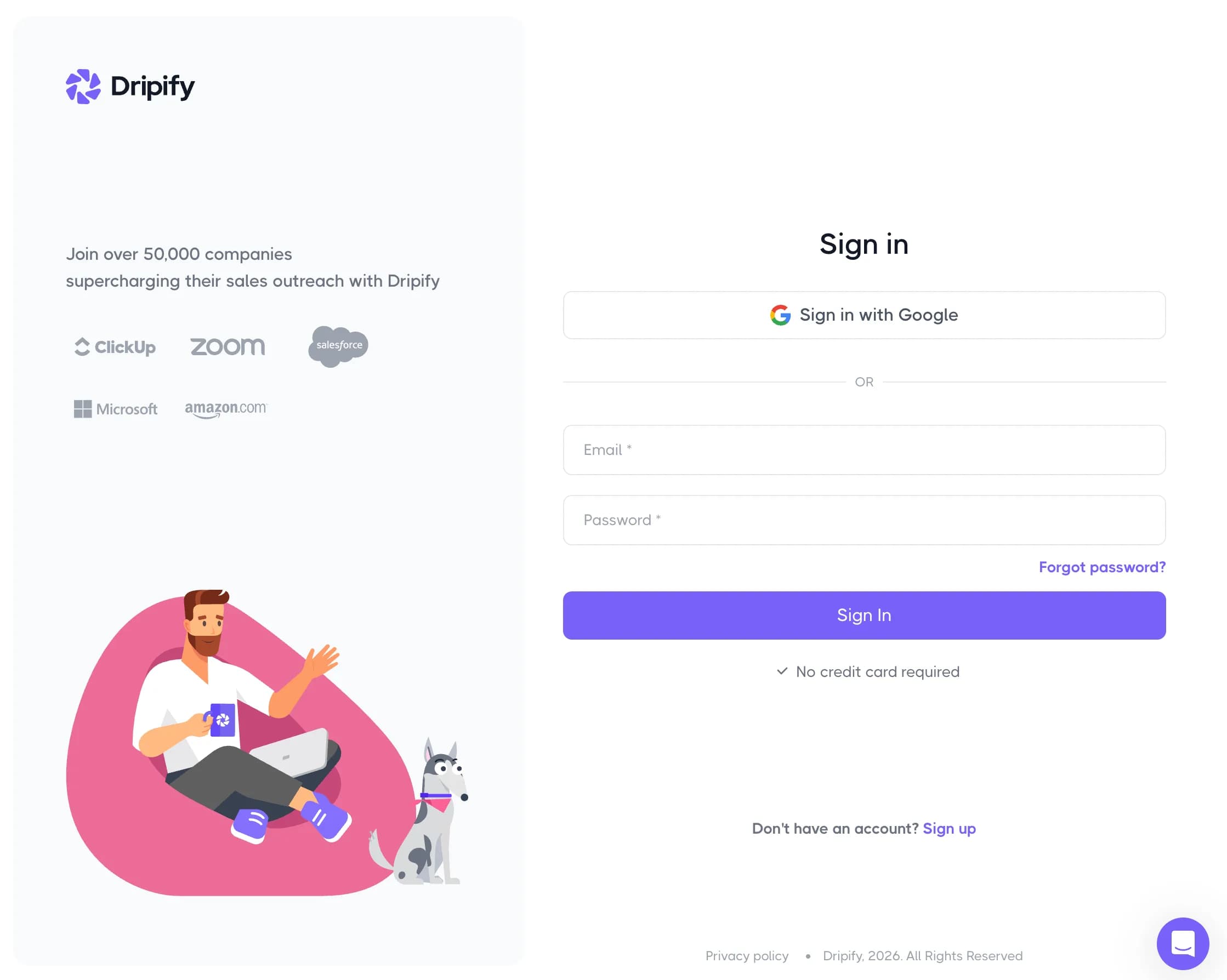
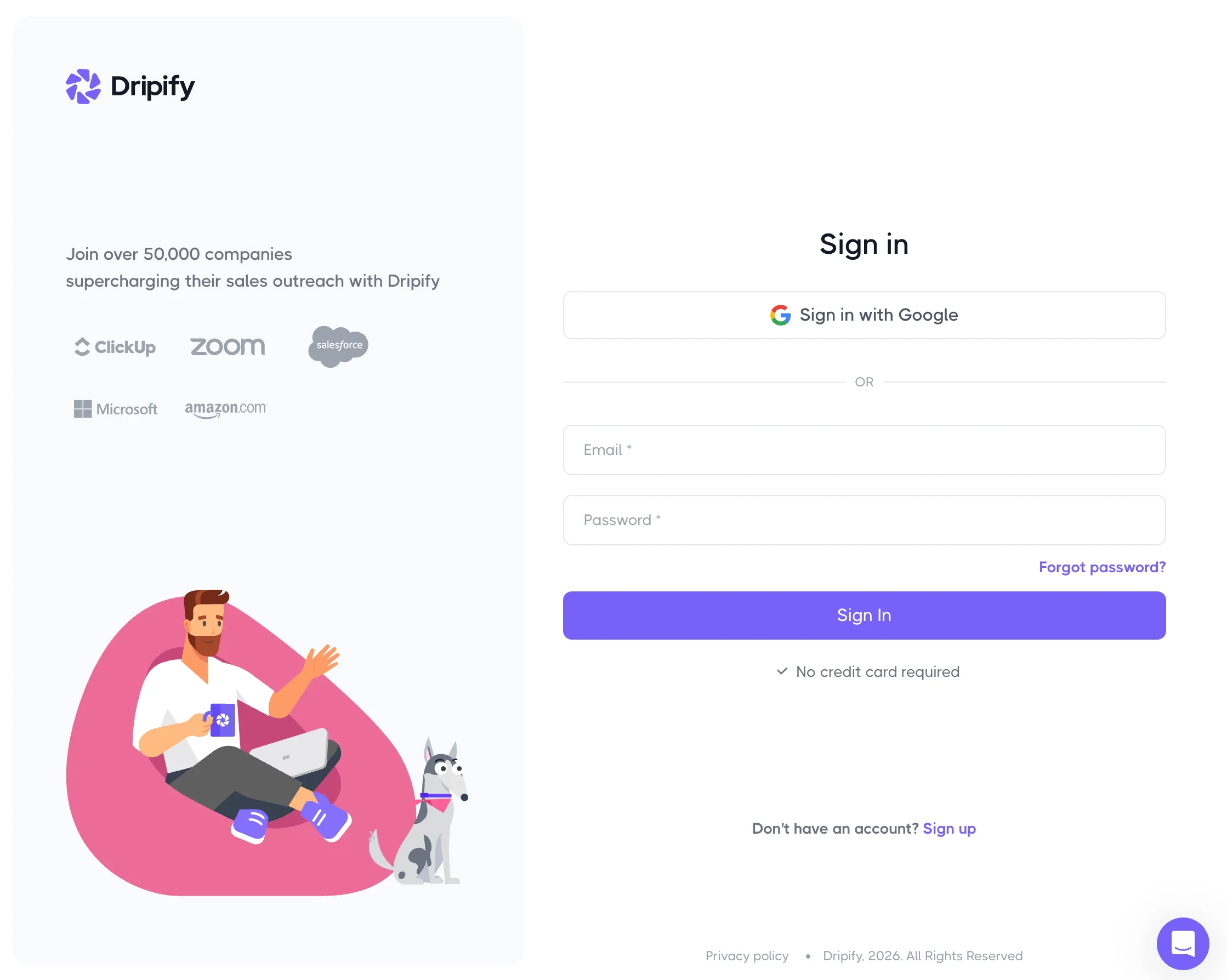
To log in to Dripify, go to app.dripify.com and sign in with Google or with your email and password. The screen is headed "Sign in" and has a Sign in with Google button at the top, then your email, password and a Sign In button underneath.
One tip before anything else: use the plain address, app.dripify.com. When we checked in November 2026, app.dripify.com/login showed a "page not found" screen, and the old app.dripify.io links now redirect to dripify.com. If a bookmark lands you on either, that's why.
The rest of this guide covers what happens when signing in doesn't work: a forgotten password, a Google account with no password, a team invite, or a LinkedIn account that keeps disconnecting. We checked every step against Dripify's own sign-in screens and help center in November 2026.
Who's writing this: we make Weezly, a LinkedIn and email outreach tool that competes with Dripify. Our team has used Dripify, and there's a section near the end about how the two compare. Everything above it is just the login help you came for.
How to log in to Dripify
With your email and password
Go to app.dripify.com.
Below the Google button and the "OR" line, type the email your Dripify account uses.
Type your password and click Sign In.
With Google
If you signed up with "Sign up with Google", click Sign in with Google and pick the same Google account you used then. Choosing a different Google account is the usual reason this fails: Dripify sees an email it doesn't know.
Don't have an account yet?
Click Sign up next to "Don't have an account?" or go to app.dripify.com/signup. You can sign up with Google, or with your first name, last name, email and a password. The password needs at least 12 characters, with one lowercase letter, one uppercase letter and one number. The signup page says "No credit card required". Dripify's free trial lasts 7 days with Advanced plan features, and nothing is charged automatically when it ends; your campaigns stop until you choose a plan (Dripify help center, November 2026).
Can't log in to Dripify? Start here
Most Dripify login trouble comes down to one of six things.
1. You forgot your password
On the sign-in screen, click Forgot password?
You land on app.dripify.com/forgot-password, headed "Forgot your password?".
Enter the email on your account and click Reset Password.
Open the email from Dripify, follow the link and set a new password, then sign in at app.dripify.com.
If no email turns up, check spam and promotions, and make sure you typed the address you signed up with, not a personal one in place of your work one (or the other way round).
2. You signed up with Google and never set a password
Then there's no password to type. Use Sign in with Google. If you'd rather sign in with an email and password from now on (or the other way round), Dripify lets you change it once you're in: open app.dripify.com/account, go to the Dripify account tab and click Change (Dripify help center).
3. You hit "page not found"
You're probably on app.dripify.com/login or an old app.dripify.io bookmark. Go to app.dripify.com instead and update the bookmark.
4. You were invited to a team and can't get in
Team invites in Dripify go to your Dripify email, not the email on your LinkedIn account. Here's how the invite works, from Dripify's team article:
The admin opens Team in the left menu, chooses a team (or clicks Add team), clicks Invite members, enters your Dripify email and a role, adds a seat with + Add a seat if needed, and clicks Invite member(s).
You get a "Join your team" email. Sign up, or sign in if you already have an account.
A banner then asks you to Accept or Decline. Accept it to join.
If the email went to your LinkedIn address, ask the admin to invite your Dripify email instead. Team management is part of Dripify's Advanced plan, so on Pro there's no team to join.
5. You're in, but someone else's account is showing
Dripify admins can sign in to a team member's account from the Team tab. If you're an admin and you're looking at the wrong person's campaigns, you've probably switched into a member's account. Go back to the Team tab to return.
6. The sign-in screen won't load or keeps looping
Try a private (incognito) window. If that works, clear Dripify's cookies in your normal browser and turn off extensions that block scripts, then try again.
Still stuck?
Dripify's help center is at help.dripify.com. You can reach support through the chat or at support@dripify.com, and Dripify lists 24/7 live support on its paid plans.
Logging in to Dripify vs. connecting LinkedIn
"Dripify logged me out" often isn't about the Dripify login at all. It's about the LinkedIn account connected to it. They're two separate logins:
Your Dripify login gets you into the app: Google, or email and password.
Your LinkedIn connection is the account your campaigns run from. Each LinkedIn account links to one Dripify account.
Dripify gives two ways to connect LinkedIn (its getting-started guide):
Through the Chrome extension, without sharing your LinkedIn password. Install the extension, log in to LinkedIn in the same browser, check that the profile it shows is yours, and click Confirm.
By entering your LinkedIn email and password in Dripify, which says it stores them encrypted.
If the extension shows the wrong profile, log out of LinkedIn, sign in to the right account and try again.
Dripify's extension article lists what disconnects it: a changed LinkedIn login, an interrupted extension connection, or other issues on LinkedIn's side. The fix:
Click Connect now on the banner in Dripify.
Choose Via Chrome Extension.
Make sure the right LinkedIn account is signed in, and click Confirm.
If LinkedIn asks you for a verification code, Dripify's help pages don't cover that step, so contact its support rather than guessing.
Logged in and wondering what else is out there?
Plenty of people look up the Dripify login while they're deciding whether to stay. If that's you, here's a fair comparison. If not, you have everything you need above.
We've used Dripify for LinkedIn outreach ourselves. Getting started was easy, and it saved a lot of time compared with sending connection requests and follow-ups by hand. Campaign setup was simple, the overview of how each campaign was doing was useful, and running several outreach campaigns side by side worked well. Where it fell short for us: editing a campaign after it had launched was limited, campaign management in general could be more flexible, and some features depend on which plan you're on.
Dripify is good at what it promises: LinkedIn automation made simple. The sequence builder is easy to pick up, LinkedIn and email sit in one sequence, and the Advanced plan adds A/B tests and step analytics, which help when you want to know which message works. Billed yearly it's cheaper, and it offers 24/7 live support on paid plans. Its prices (published pricing, November 2026): Pro is $79 a month per user billed monthly or $59 billed yearly, with LinkedIn and email sequences, unlimited campaigns, an inbox, HubSpot, an API and 100 email-finder credits a month. Advanced is $99 or $79 and adds team management, lead tagging, step analytics and A/B tests. Extra email credits are $29 per 1,000, and one seat covers one LinkedIn account.
Where people tend to look around is what happens around the message. Dripify personalizes with variables and an AI icebreaker, so every lead gets the same message with their name and one line changed. It doesn't advertise video, a booking page or a call recorder, so those come from other tools.
Weezly Outreach is the LinkedIn and email outreach tool we make. What it adds:
An AI video of you, right in the LinkedIn DM. You record two minutes once, and Weezly makes a short video for each lead, in front of their own website. It plays in the message itself. In our own campaigns, messages with video got 2.7x more replies (Video numbers, Weezly campaigns). AI video minutes are an add-on, from $99.
Leads included. 300M+ contacts and 5,000 verified emails a month in every seat, against Dripify's 100 email-finder credits.
Booking and a pipeline built in. Your booking page sits under the video, and replies move through a pipeline in the same app.
Your calls, followed up. On the Multichannel seat, the AI Sales Assistant records your calls and drafts the follow-up email.
On price, Weezly's Growth plan is $59 a month per LinkedIn sender (LinkedIn only, with the leads database and booking pages), $20 less than Dripify Pro billed monthly. The Multichannel seat is $99 a month, the same as Dripify Advanced billed monthly, and adds an email sender and the AI Sales Assistant. Billed yearly, Dripify comes out cheaper.
You can try it with a free trial: 21 days on the Multichannel seat, 7 days on the Growth plan. Keep your Dripify campaigns running while you test; nothing has to move until you've seen the replies.
Want the side-by-side? Read Weezly vs Dripify, or compare plans on our pricing page. Or get started free.
Dripify login FAQ
What is the Dripify login URL?
It's app.dripify.com. In November 2026, app.dripify.com/login showed "page not found", and old app.dripify.io links redirect to dripify.com.
Can I log in to Dripify with Google?
Yes. Click Sign in with Google and pick the same Google account you signed up with.
Can I log in to Dripify with LinkedIn?
No. LinkedIn isn't a sign-in option. You connect your LinkedIn account inside Dripify after you log in, through the Chrome extension or with your LinkedIn credentials.
How do I reset my Dripify password?
Click Forgot password? on the sign-in screen, enter your account email and click Reset Password. Follow the link in the email to set a new one.
How do I switch from Google login to email and password?
Open app.dripify.com/account, go to the Dripify account tab and click Change.
Why does my LinkedIn keep disconnecting from Dripify?
Dripify lists a changed LinkedIn login, an interrupted extension connection and other LinkedIn issues. Click Connect now on the banner, choose Via Chrome Extension, check the right account is signed in and click Confirm.
Is Dripify free?
There's a 7-day free trial with Advanced features and no card. After that, Pro is $79 a month per user billed monthly ($59 yearly) and Advanced is $99 ($79 yearly), per Dripify's pricing page in November 2026.