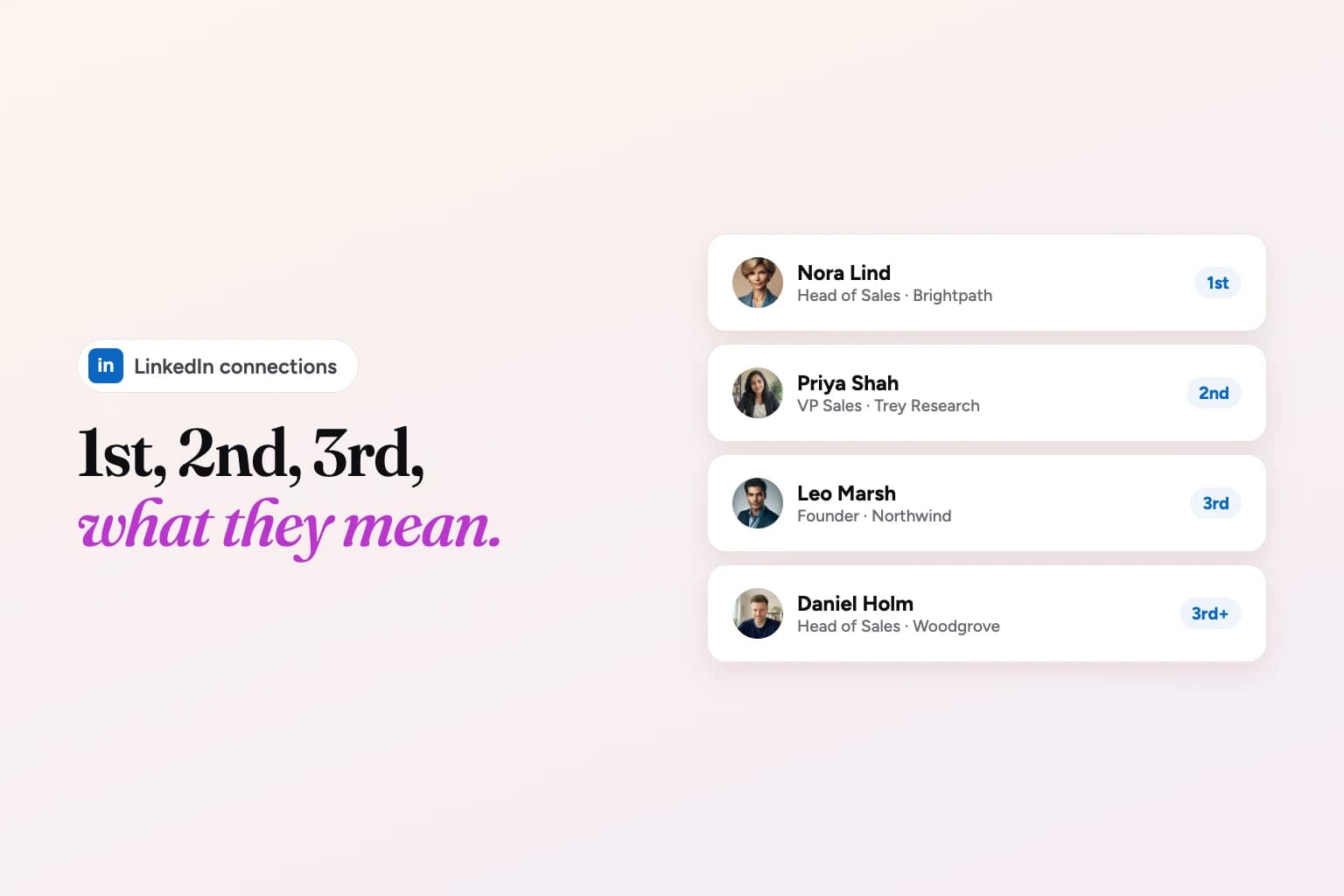
"3rd" on LinkedIn means the person is a 3rd-degree connection: they're connected to one of your 2nd-degree connections, so there are two people between you and them. "1st" means you're directly connected, and "2nd" means you share at least one connection.
The little badge next to someone's name matters more than it looks, because it decides what LinkedIn lets you do: message them, send an invite, or pay for an InMail. This guide explains every label, what each one allows, and the four realistic ways to reach someone who's a 3rd. It's based on LinkedIn's own Help Center, checked in November 2026.
Quick note on who's writing this: we make Weezly, a LinkedIn and email outreach tool. There's a short section about it near the end. The rest is how LinkedIn works.
1st, 2nd and 3rd on LinkedIn at a glance
| Label | Who they are | Free message? | Connect? |
|---|---|---|---|
| 1st | You're connected: one of you accepted the other's invitation | Yes | Already connected |
| 2nd | Connected to someone you're connected to | No, unless they have an Open Profile or you share a group | Yes, from the Connect button on their profile |
| 3rd | Connected to one of your 2nd-degree connections | No, unless they have an Open Profile or you share a group | Usually, from Connect or the More menu (see below) |
| Group member | In a LinkedIn group you're in | Yes, through the group or a message request | Depends on their degree |
| LinkedIn Member (Out of network) | Outside all of the above | No; InMail if the option is available | Usually not |
Source: LinkedIn's Your Network and Degrees of Connection and Send messages on LinkedIn, November 2026.
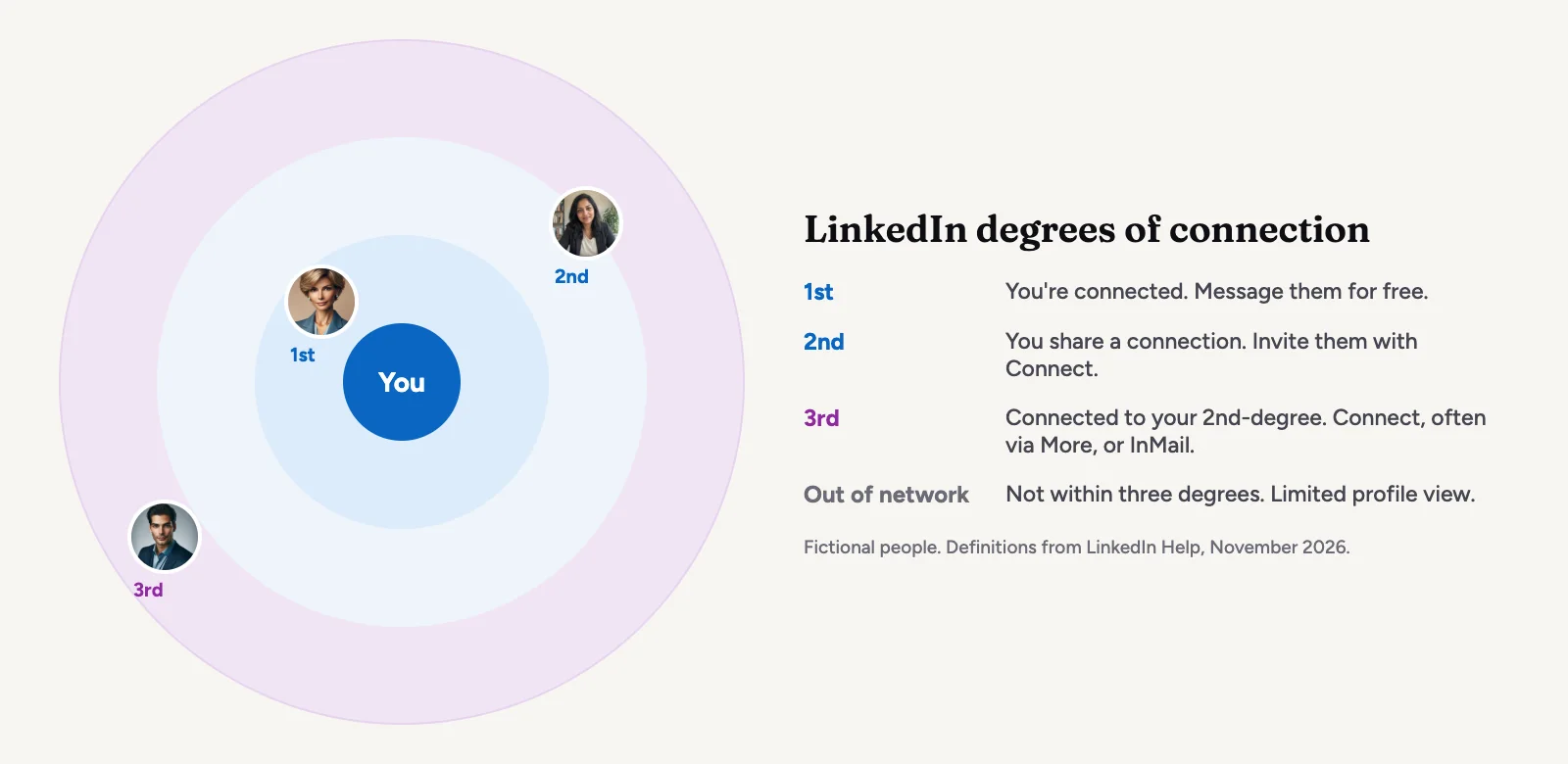
What each degree means
1st-degree connections
People you're directly connected to, because you accepted their invitation or they accepted yours. You'll see a "1st" next to their name in search results and on their profile. You can message them for free, and you see more of each other's profiles. LinkedIn caps your network at 30,000 1st-degree connections.
2nd-degree connections
People connected to your 1st-degree connections. You'll see a "2nd" next to their name, and LinkedIn shows the mutual connections you share. LinkedIn's Help Center says you can invite them by clicking Connect on their profile.
3rd-degree connections
People connected to your 2nd-degree connections. You'll see a "3rd" next to their name. You don't share a direct mutual connection, which is why these are the hardest people in your network to reach. Messaging them for free usually isn't possible, though an invitation, an InMail or an introduction often is (the options are below).
What does 3rd+ mean?
"3rd+" is an option in LinkedIn's connection filter when you search for people, next to "1st" and "2nd". LinkedIn's Help Center doesn't define it on its own page, but as the name says, it's everyone beyond your 2nd degree: your 3rd-degree connections and people further out. On an individual profile you'll see "3rd" or no degree at all, not "3rd+".
Fellow group members
LinkedIn counts members of the groups you're in as part of your network, whatever their degree. The Highlights section of someone's profile may show the groups you share. You can message them on LinkedIn or through the group; if you aren't connected, it arrives as a message request they can accept.
LinkedIn Member (Out of network)
Anyone outside your 1st, 2nd and 3rd degrees, your followers and your groups. LinkedIn says some fields of out-of-network profiles have limited visibility, which is why you may see "LinkedIn Member" instead of a name. If the option is available, you can send them an InMail. LinkedIn also lists "You're out of network" as one of the reasons the Connect button doesn't appear.
One more category: followers. People who follow you see your public updates in their feed, but following doesn't change your degree with them.
What you can do with each degree
- Send a free message: 1st-degree connections, LinkedIn Pages, fellow group members (as a message request), current coworkers (as a message request) and Premium members who've turned on Open Profile. That's LinkedIn's own list in Send messages on LinkedIn.
- Send an InMail: anyone you aren't connected to, as long as they accept InMail and you have credits from Premium, Sales Navigator or Recruiter. See what InMail is and our guide to LinkedIn InMail credits.
- Send a connection request: 2nd-degree members from the Connect button, and many 3rd-degree members too. If Connect isn't the main button, LinkedIn says to select More and then Connect.
- Follow: almost anyone, without being connected. They'll get a notification that you followed them.
Why the Connect button is missing
LinkedIn's missing Connect button article lists these reasons:
- You haven't confirmed your primary email, or it bounced.
- You're already connected, or you've already sent them an invitation.
- They have over 500 connections, or chose Follow as their default. Connect then sits in the More dropdown.
- They're out of your network.
Also worth knowing: if you withdraw an invitation, LinkedIn won't let you invite the same person again for up to three weeks.
How to reach a 3rd-degree connection
1. Send a connection request with a note
The simplest route, if Connect is available. On their profile, select Connect (or More, then Connect), click Add a note, write your message and select Send invitation. A note matters more with 3rds than with anyone else: you have no mutual connection, so the note is the only context they get. LinkedIn may also ask "How do you know [name]?". If you pick "We don't know each other", it may ask you to send a message first, and depending on their settings that can mean an InMail.
2. Send an InMail
InMail reaches people you aren't connected to without waiting for them to accept. It costs a credit, which comes from a paid plan (Premium, Sales Navigator or Recruiter), and you get the credit back if they respond within 90 days. Our InMail credits guide has the numbers per plan, and Premium vs Sales Navigator helps if you're choosing between them.
3. Ask for an introduction
A 3rd-degree person is connected to one of your 2nd-degree connections, who is connected to one of your 1st-degree connections. Find that chain: open their profile, look at who they're connected to that you know of, and ask your 1st-degree connection whether they'd introduce you (or connect you with the person in the middle). A warm introduction is slower, but it's the route most likely to get a real conversation.
4. Follow them and engage first
LinkedIn suggests this itself in Alternatives to inviting someone to connect: follow the person, comment thoughtfully on their posts, or join a group they're active in. After a few useful comments, your name is familiar, and a connection request with a note lands much better. Joining a shared group also lets you message them as a fellow group member.
How to write the connection request note
LinkedIn's Personalize invitations to connect article sets the rules (November 2026):
- A note can be up to 200 characters.
- Free accounts can add a note to a limited number of requests per month. LinkedIn's Help Center currently gives two numbers: three per month in that article, and five in its Invitation limit reached article. Premium members can personalize every request (overall invitation limits still apply).
- Invitations sent from People You May Know in the mobile app can't be personalized.
- They can reply to your note without accepting the invitation, and the reply shows up in your messages.
In 200 characters, aim for three things: how you found them, why you want to connect now, and nothing to sell. For example:
"Hi Nora, I saw your post on onboarding new reps and the 30-day checklist idea stuck with me. I'm working on the same problem at our team. Would be glad to connect."
Leave the pitch for later. A note that reads like a sales message gets ignored or marked as spam, and LinkedIn may restrict your invitations if many are ignored, left pending or reported. Our glossary has more on connection requests.
Reaching 2nd and 3rd-degree prospects with Weezly Outreach
If you reach out to new people on LinkedIn every week, Weezly Outreach turns those steps into one sequence: the connection request with a note, then messages, voice notes, comments and an AI video in the DM once they accept. The Leads Database helps you find the people first, with 300M+ contacts you can filter by job title, job level, job function, location, company and education, and every lead scored from 1 to 10 against your ideal customer. Campaigns that only reach leads scoring 6 and up get 2.97x more replies (Weezly campaign data, 2026).
The Growth plan is $59 a month per LinkedIn sender and includes the Leads Database with 5,000 verified emails, booking pages and the Unibox (Weezly pricing, November 2026). There's a free trial: 21 days on the Multichannel seat, 7 days on the Growth plan. You can start a free trial and run it next to how you prospect today.
LinkedIn connection degrees FAQ
What does 3rd mean on LinkedIn?
It means a 3rd-degree connection: someone connected to one of your 2nd-degree connections. There are two people between you.
What does 2nd mean on LinkedIn?
A 2nd-degree connection is connected to at least one of your 1st-degree connections. You can usually invite them to connect from their profile, and LinkedIn shows you who you have in common.
Can I message a 3rd-degree connection for free?
Only in some cases: if they're a Premium member with Open Profile turned on (free accounts can send a limited number of these a month), if you're in the same LinkedIn group (as a message request), or if they're a current coworker (as a message request). Otherwise you'll need to connect first or send an InMail.
Can I send a connection request to a 3rd-degree connection?
Often, yes. If you don't see Connect on their profile, check the More menu. If it isn't there either, LinkedIn's missing Connect button reasons apply, and an InMail or an introduction is the way in.
Why does LinkedIn show "LinkedIn Member" instead of a name?
The person is out of your network, so some of their profile fields have limited visibility. Growing your network, for example by connecting with people they're connected to, brings more profiles into view.
Does a connection's degree change over time?
Yes. Degrees follow your network. If you connect with someone who's connected to a 3rd-degree person, that person becomes a 2nd. If you connect with them directly, they become a 1st.
Do followers count as connections?
No. Followers see your public updates in their feed, but following doesn't create a connection. When you connect with someone, though, you automatically follow each other.