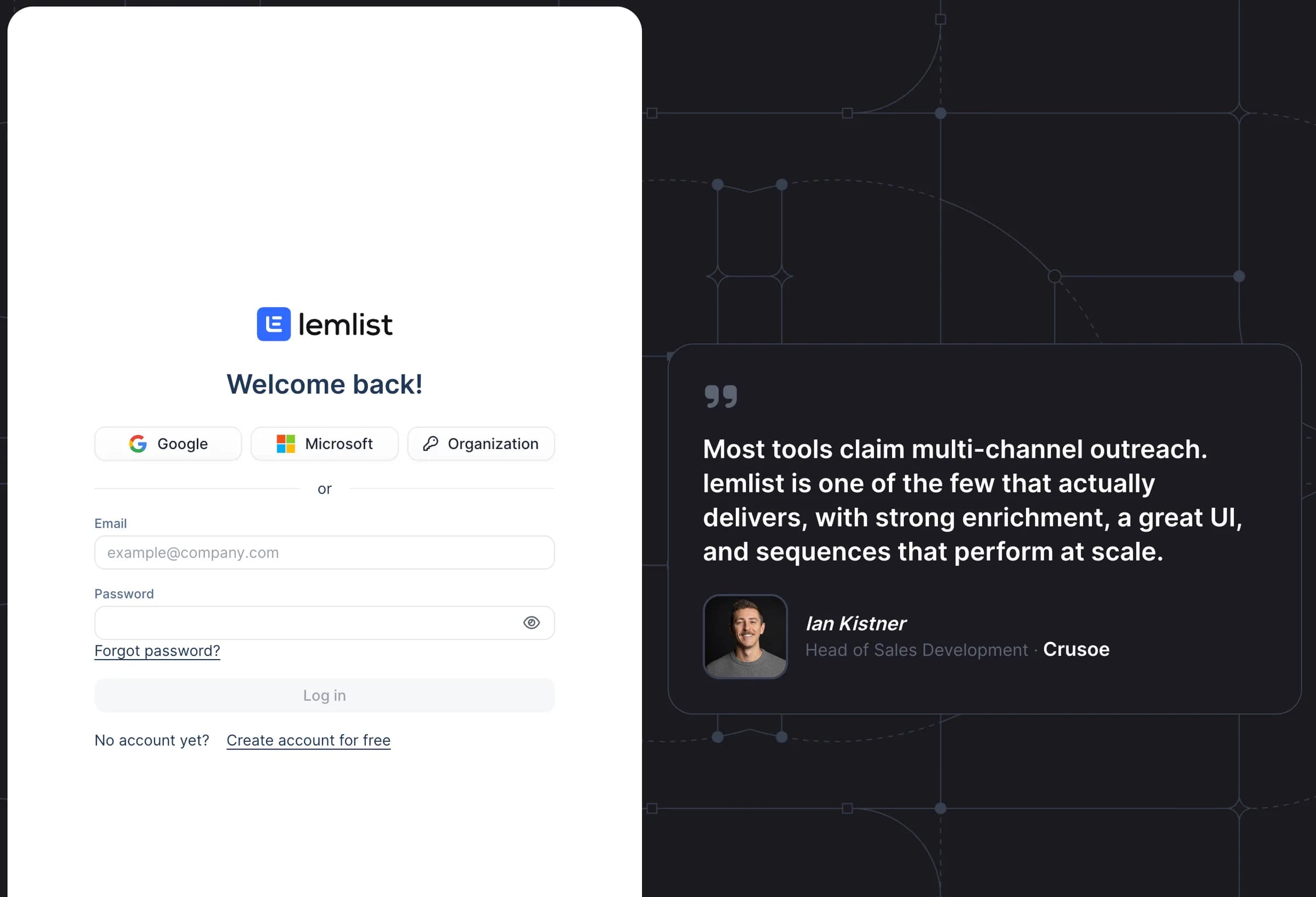
The lemlist login page is app.lemlist.com/login. You can sign in with your email and password, or with one of the three buttons at the top: Google, Microsoft or Organization (your company's single sign-on). If you're on lemlist.com, the "Log in" link in the top menu takes you to the same page.
That's the short answer. The rest of this guide is for when it doesn't work: a reset email that never shows up, a Google account that has no password, a team invite that won't open, an SSO login that bounces you back, or a LinkedIn account that keeps disconnecting. We checked every step on lemlist's own login page and help center in November 2026.
Quick note on who's writing this. We make Weezly, a LinkedIn and email outreach tool that competes with lemlist. So yes, there's a section near the end about us. Everything above it is just the login help you came for.
How to log in to lemlist
With your email and password
- Go to app.lemlist.com/login.
- Under the three sign-in buttons, type the email address your lemlist account was created with.
- Type your password and click Log in.
You're in. If you belong to more than one team (common at agencies and larger sales orgs), you can switch between them once you're in.
With Google or Microsoft
If you created your account with "Sign up with Google" or "Sign up with Microsoft", click the matching Google or Microsoft button on the login page and choose the same account you signed up with. Picking a different Google or Microsoft account is the most common reason this "doesn't work": lemlist sees a new email and finds no account.
With your company's single sign-on (SSO)
If your company set up SSO, click Organization. lemlist opens a page called "Log in with your organization" (app.lemlist.com/sso). Type your work email, click Login, and you'll be sent to your company's identity provider (Okta, Microsoft Entra ID or similar) to finish. SSO (SAML) is part of lemlist's Enterprise plan, so if your company isn't on it, this button won't do anything for you. Use email, Google or Microsoft instead.
Don't have an account yet?
Click Create account for free under the login form, or go to app.lemlist.com/create-account. You can sign up with Google, Microsoft, or your name, work email and a password (at least 8 characters, with an uppercase letter, a lowercase letter, a number and a symbol). lemlist's pricing page describes a 14-day free trial with 200 free credits (November 2026).
Can't log in to lemlist? Start here
Most login problems come down to one of seven things. Find yours below.
1. You forgot your password
- On the login page, click Forgot password? under the password box.
- lemlist shows "Forgot your password? No worries, we'll send you reset instructions". Enter the exact email on your account and click Receive reset link.
- Open the email from lemlist, follow the link, and choose a new password.
- Go back to app.lemlist.com/login and sign in with it.
2. The reset email never arrived
Give it a few minutes, then check spam, promotions and any filters your company runs on outside mail. If there's still nothing, you're probably typing a different address from the one you signed up with: a personal Gmail instead of your work address, or the other way round. Try the other one. Some companies also block mail from new senders, so ask IT to let lemlist's emails through.
3. You signed up with Google or Microsoft and never set a password
The reset flow isn't what you need. Use the Google or Microsoft button you signed up with. If your company has since blocked Google or Microsoft sign-in to outside apps, ask your IT team to allow lemlist, or use the reset link to give the account a password.
4. You were invited to a team and can't get in
When a teammate invites you, lemlist sends an invitation email. How you join depends on whether you already have a lemlist account (lemlist's help center, July 2026):
- New to lemlist: click the link in the invitation email, create your account with your email and a password, and the invite appears on your dashboard.
- Already on lemlist: log in as usual, open the notification bell, and click the invite to go to the team.
Make sure you sign up or log in with the same email the invite was sent to. If you can't find the email, ask the team admin to invite you again.
5. You're in, but you're in the wrong team
If you belong to several teams, you may be looking at one that has none of your campaigns. Switch to the right team inside the app. lemlist's help center has an article on how to leave a team or switch to another one under Team Management.
6. You're in, but some pages or settings are missing
That's permissions, not your login. lemlist lets admins manage roles and permissions on its Email and Multichannel plans, and set custom roles on Enterprise. If you can't see campaigns, billing or team settings, ask your team admin what your role allows.
7. The login page won't load or loops back
Try a private (incognito) window first. If that works, clear lemlist's cookies in your normal browser or turn off extensions that block scripts, then try again. If lemlist itself is down, you'll see it on lempire's status page at status.lempire.com (lemlist is made by lempire), which covers lemlist, the lemlist API and lemwarm.
Still stuck?
lemlist's help center is at help.lemlist.com, and its support team answers through the live chat inside the app.
Logging in to lemlist vs. connecting LinkedIn
A lot of "lemlist keeps logging me out" searches aren't about the lemlist login at all. They're about the LinkedIn account connected to it. Those are two separate logins:
- Your lemlist login gets you into the app. Email and password, Google, Microsoft or SSO.
- Your LinkedIn connection is what lemlist sends LinkedIn steps from. It depends on your LinkedIn session in the browser, and lemlist reconnects it through its Chrome extension.
lemlist's own help center lists what breaks the LinkedIn connection: logging out of LinkedIn or out of lemlist, clearing your browser's cookies, LinkedIn asking you to sign in again, and browser updates or expired cookies. Its fix:
- Log in to LinkedIn directly in your browser.
- Re-authenticate the connection through the lemlist Chrome extension.
- Refresh your LinkedIn session if needed.
- If it keeps failing, clear and reset your browser cookies, then connect again.
lemlist also recommends one Chrome profile per LinkedIn account, so two accounts don't fight over the same cookies.
Logged in and wondering what else is out there?
Plenty of people search for the lemlist login while they're deciding whether to stay. If that's you, here's an honest comparison. If it isn't, you have everything you need above.
lemlist is strong at what it grew up on: cold email. It has its own warm-up tool (lemwarm), a large contact database paid with credits, phone numbers, intent signals, and calls, SMS and WhatsApp on its Multichannel plan. If cold email at volume is the core of your outbound, it's a solid pick.
We test-ran lemlist ourselves. Setting up the account was easy. The sequence builder was where it got harder: adding the right steps took effort, previewing a step wasn't straightforward, and with a longer sequence it was easy to lose track of where you were. We also missed a sales pipeline and scheduling inside the same tool.
Where people tend to look elsewhere is LinkedIn and everything after the reply. lemlist's personalised video goes out by email as a link to a landing page, not inside the LinkedIn message. Verified emails cost extra credits. Booking runs in lemcal and call notes in Claap, both separate lempire products with their own logins.
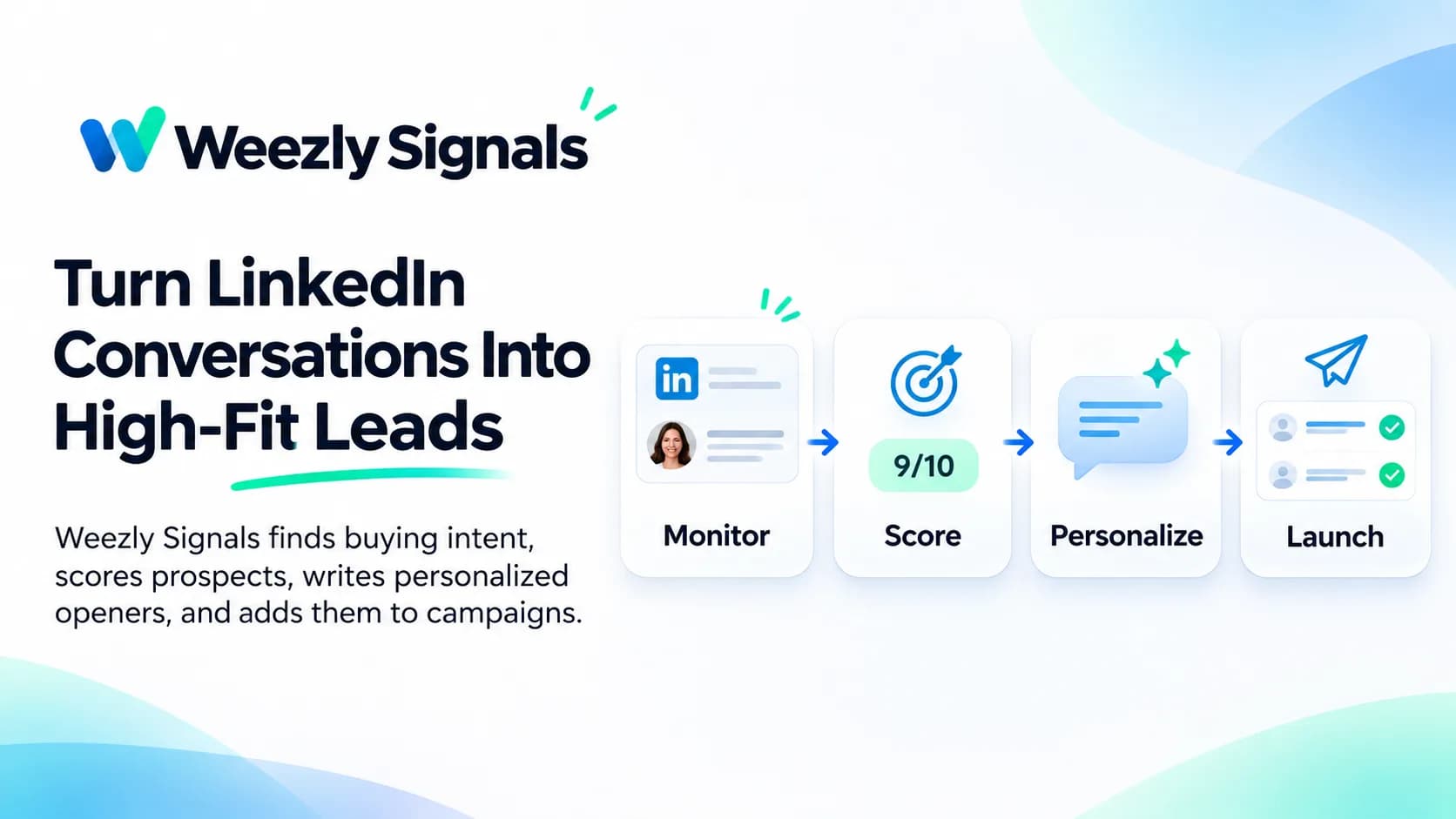
Weezly Outreach is the LinkedIn and email outreach tool we make, and it keeps those pieces in one login:
- An AI video of you, right in the LinkedIn DM. You record two minutes once, and Weezly makes a short video for each lead, in front of their own website. It plays in the message, so they never leave LinkedIn. In our own campaigns, messages with video got 2.7x more replies (Video numbers, Weezly campaigns).
- Leads included. 300M+ contacts, with 5,000 verified emails included in every seat. No separate data add-on.
- Booking built in. Your booking page sits under the video, so a lead who likes it can pick a time on the spot.
- Your calls, followed up. On the Multichannel seat, the AI Sales Assistant records your calls and drafts the follow-up email.
On price, lemlist's Multichannel plan is $109 a month per user billed monthly, or $87 billed yearly, and verified emails are an extra $20 a month for 2,000 credits (its published pricing, November 2026). Weezly's Multichannel seat is $99 a month and includes a LinkedIn sender, an email sender, the AI Sales Assistant and the 5,000 verified emails. If you only need LinkedIn, our Growth plan is $59 a month per sender. AI video minutes are an add-on, from $99.
You can try it with a free trial: 21 days on the Multichannel seat, 7 days on the Growth plan. You can keep lemlist for cold email while you test Weezly on LinkedIn. Nothing has to move until you've seen the replies.
Want the side-by-side? Read Weezly vs lemlist, or compare plans on our pricing page. Or skip the reading and get started free.
lemlist login FAQ
What is the lemlist login URL?
It's app.lemlist.com/login. The "Log in" link on lemlist.com goes to the same page. Company single sign-on starts from the Organization button, at app.lemlist.com/sso.
Can I log in to lemlist with Google or Microsoft?
Yes. The login page has a Google button and a Microsoft button. Use the same account you signed up with, or lemlist won't find your account.
Does lemlist support SSO?
Yes, through the Organization button on the login page. SSO (SAML) is listed on lemlist's Enterprise plan.
Can I log in to lemlist with LinkedIn?
No. LinkedIn isn't a sign-in option. Your LinkedIn account is connected inside lemlist after you log in, through the Chrome extension.
How do I reset my lemlist password?
Click Forgot password? on the login page, enter your account email, and click Receive reset link. Follow the link in the email to set a new password.
Does lemlist have two-factor authentication?
Yes. lemlist lists two-factor authentication on its Email, Multichannel and Enterprise plans (pricing page, November 2026).
Why does my LinkedIn keep disconnecting from lemlist?
Usually because the LinkedIn session in your browser ended: you logged out, cleared cookies, or LinkedIn asked you to sign in again. Log in to LinkedIn, then re-authenticate through the lemlist Chrome extension.
Is lemlist free?
lemlist offers a free trial: its pricing page describes 14 days with 200 free credits (November 2026). Paid plans start at $69 a month per user for Email and $109 for Multichannel, billed monthly.