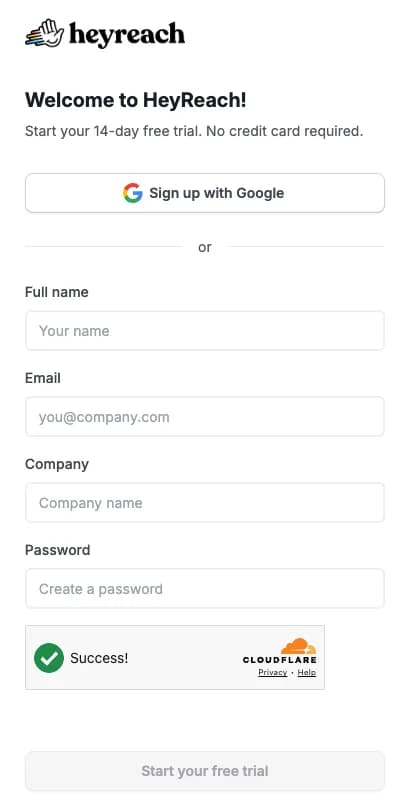
The HeyReach login page is app.heyreach.io/account/login. You can sign in with your email and password, or with the "Sign in with Google" button if that's how you created your account. If you landed on heyreach.io instead, the "Log in" link in the top menu takes you to the same page.
That's the short answer. The rest of this guide is for when it doesn't work: a reset email that never shows up, a Google account with no password, an invite link that loops you back to the login screen, or LinkedIn accounts that keep asking you to log in again. We checked every step against HeyReach's own help center in November 2026.
Quick note on who's writing this. We make Weezly, a LinkedIn outreach tool that competes with HeyReach and also works inside it. So yes, there's a section near the end about us. Everything above it is just the login help you came for.
How to log in to HeyReach
With your email and password
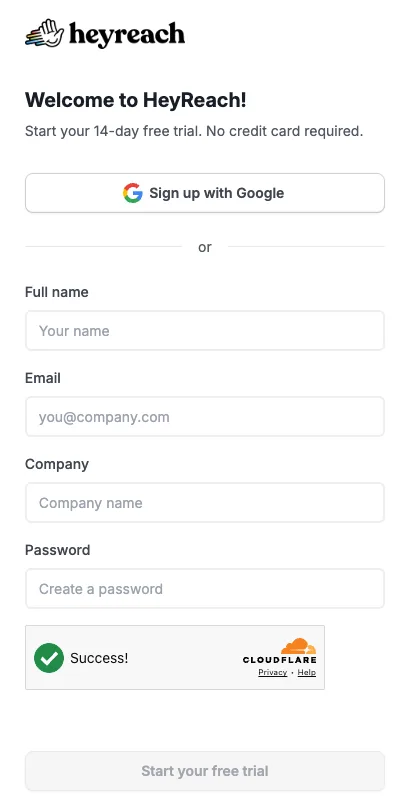
Type the email address your HeyReach account was created with.
Type your password and click Sign in.
You'll land on your dashboard. If you belong to more than one workspace (common at agencies), the workspace name in the top right lets you switch between them.
With Google
If you signed up with Google, click Sign in with Google on the login page and pick the right Google account. That's it.
One thing trips people up here. A Google account in HeyReach has no password until you set one. So if you try to log in with your email and a password you think you made, HeyReach will tell you to continue with Google or add a password first. Use the Google button and you're in.
Don't have an account yet?
New accounts are created at app.heyreach.io/account/register. HeyReach offers a 14-day free trial with no card required (as listed on its site in October 2026).
Can't log in to HeyReach? Start here
Most login problems come down to one of six things. Find yours below.
1. You forgot your password
HeyReach's reset works a little differently from most apps, which is why people think it's broken. You don't pick a new password from the link. HeyReach emails you a generated one.
On the login page, click Forgot password under the password box. (You can also go straight to app.heyreach.io/account/forgot-password.)
Enter the exact email on your account and click Send reset link.
Open the email and click Reset password. If the button does nothing, copy the long link under "Need help?" into your browser.
You'll see "Password Reset Successful". Now wait for a second email from HeyReach. That one contains your new, generated password.
Copy it, go back to the login page, and sign in.
Change it to something you'll remember: click the settings icon in the bottom left, open Profile settings, enter the generated password as your current one, type your new one twice and click Save changes.
2. The reset email never arrived
Give it five minutes. HeyReach says the email can take 3 to 5 minutes. Then check spam, promotions, and any filters your company runs on outside mail. If you still have nothing, the usual cause is a different email address: you may have signed up with a personal Gmail and be typing your work address, or the other way round. Try the other one.
3. You signed up with Google and never had a password
The Forgot password flow isn't for you. Log in with Sign in with Google instead. If you want a password as well (handy when a teammate needs to log in on another machine, or your Google login is blocked at work), you can add one:
Log in with Google.
Go to Settings, then Profile Settings, and find Set a Password.
Type the new password twice and click Send code.
Enter the 6-digit code HeyReach emails you (it's valid for 10 minutes) and click Change password.
Google login keeps working afterwards. You'll simply have both options.
4. You were invited to a workspace and keep getting sent to the login page
This one catches a lot of new team members and agency clients. When someone invites you to their HeyReach workspace, you don't have an account yet, so logging in can't work.
Click Join in the invitation email, or open the invite link the person sent you.
On the registration page, fill in your Full Name and a Password, tick the terms box and click Register.
Don't click the "Log in" button at the bottom of that page. Your account isn't finished until you register, and that button just sends you in a circle. If the invite has expired or you can't find it, ask the admin to copy a fresh invite link from their Members page.
5. Your agency gave you a different login address
Agencies on HeyReach's Agency or Unlimited plans can run it under their own brand, with their own domain and colours. If an agency set up outreach for you, your login page might not say HeyReach at all and won't be at app.heyreach.io. Use the link your agency sent you, and ask them for access if it doesn't work. HeyReach support can't see white-labelled accounts the way your agency can.
6. You're in, but campaigns or the inbox are missing
That's permissions, not your login. Workspace members only see the screens an admin gave them: LinkedIn senders, leads, campaigns, the inbox and so on, each set to view or manage. Click the workspace name in the top right and choose View my permissions. It shows what you can access and the admin's email, so you know who to ask.
Still stuck?
HeyReach's help center at help.heyreach.io covers account questions, and its support team answers through the chat in the bottom-right corner of the app.
Logging in to HeyReach vs. connecting LinkedIn (Infinite Login)
A lot of "HeyReach keeps logging me out" searches aren't about the HeyReach login at all. They're about the LinkedIn accounts connected to it. Those are two separate logins:
Your HeyReach login gets you into the app. Email and password, or Google.
Your LinkedIn sender accounts are what HeyReach sends from. Each one is connected separately, with its own LinkedIn email and password, and LinkedIn can ask for them to be confirmed again.
If your senders keep disconnecting mid-campaign, HeyReach's fix is a feature it calls Infinite Login. It's on every plan. You turn on LinkedIn's two-step verification with an authenticator app (SMS doesn't qualify), keep the secret key LinkedIn shows under the QR code, then reconnect the account in HeyReach's LinkedIn Accounts tab and choose the Infinite Login option. Note the secret key is the roughly 20-character code from LinkedIn's setup screen, not the 6-digit number your authenticator app shows.
Logged in and wondering what else is out there?
Plenty of people search for the HeyReach login while they're deciding whether to stay. If that's you, here's an honest comparison. If it isn't, you have everything you need above.
HeyReach is good at what it was built for: LinkedIn outreach across many sender accounts, with sender rotation and one shared inbox. Agencies running dozens of accounts like it for that, and its biggest plan goes up to 300 senders. If those are your priorities, it's a solid pick.
Where people tend to look elsewhere is everything around the message. With HeyReach, a personal video comes from a separate video tool, email runs through a separate tool like Instantly or Smartlead, and booking the meeting needs a scheduler of your own. That's three more logins and three more bills.
Weezly Outreach is the LinkedIn outreach tool we make, and it puts those pieces in one place:
An AI video of you in the LinkedIn DM. You record two minutes once, and Weezly makes a short video for each lead, in front of their own website. It plays right in the message. In our own campaigns, messages with video got 2.7x more replies (Video numbers, Weezly campaigns).
Leads included. A database of 300M+ contacts, with 5,000 verified emails included in every seat.
Booking built in. Your booking page sits under the video, so a lead who likes it can pick a time on the spot.
LinkedIn and email in one sequence on the Multichannel seat, with an AI Sales Assistant that records your calls and drafts the follow-up.
On price, our Growth plan is $59 a month per LinkedIn sender. HeyReach's Growth plan is $79 a month per sender for 1 to 9 senders and $59 from 10 (its published pricing, October 2026). Weezly's Multichannel seat is $99 a month and adds an email sender and the AI Sales Assistant. AI video minutes are an add-on, from $99. Both tools charge the same $999 a month for 25 senders on their Agency plans.
You can try it with a free trial: 21 days on the Multichannel seat, 7 days on the Growth plan. Running HeyReach while you test is fine. Nothing has to move until you've seen the replies.
Want the side-by-side? Read Weezly vs HeyReach. Or skip the reading and get started free.
Happy with HeyReach? Keep it and add the video
You don't have to switch to use Weezly. Our Chrome extension adds a Weezly button inside HeyReach's sequences, so you can make a personal video for every lead and drop it into the step you already have. You only buy AI video minutes, no Weezly seat needed. Here's how Weezly works inside HeyReach.
HeyReach login FAQ
What is the HeyReach login URL?
It's app.heyreach.io/account/login. The "Log in" link on heyreach.io goes to the same page. If an agency runs HeyReach for you under its own brand, use the login link it gave you instead.
Can I log in to HeyReach with my LinkedIn account?
No. The login page offers email and password or Google. Your LinkedIn accounts are connected inside HeyReach after you log in, as sender accounts.
Why didn't my new password work after the reset?
Usually because the password came in a second email. After you click "Reset password", HeyReach sends a new generated password in a separate message. Use that one, then change it in Profile settings.
How do I change my HeyReach password?
Click the settings icon in the bottom left, open Profile settings, enter your current password and the new one twice, then click Save changes. Google accounts without a password use the Set a Password section instead and confirm with an emailed code.
Does HeyReach have two-factor authentication?
We couldn't find a two-factor option for the HeyReach app login itself in its help center as of November 2026. The 2FA you'll see mentioned in HeyReach is LinkedIn's, used for Infinite Login on your sender accounts.
Is there a HeyReach login for team members?
Team members use the same login page once they've registered through their invite. Admins invite people from the Members section and set what each person can see. A member who can't see a screen should ask the admin to change their permissions.
Is HeyReach free?
There's no free plan, but there's a 14-day free trial with no card required. After that, plans start at $79 a month per sender for 1 to 9 senders (October 2026).