LinkedIn Sales Navigator pricing starts at $119.99 a month per seat for Core, or $1,079.88 a year if you pay annually. Advanced costs $159.99 a month or $1,799.88 a year, and Advanced Plus has no public price: LinkedIn quotes it based on your team size and CRM. Those are the US dollar prices on LinkedIn's own compare plans page as of November 2026 (the page says it was last updated September 27, 2026).
Below you'll find what each plan actually adds, how the annual discount works (it's much bigger on Core than on Advanced), what a team of 1, 5 or 10 sellers pays, and who gets their money's worth. Every number comes from LinkedIn's own pages and LinkedIn Help, read in November 2026.
Quick note on who's writing this. We make Weezly, a LinkedIn and email outreach tool with its own leads database. So there's a short section about us near the end. Everything above it is just Sales Navigator pricing.
Sales Navigator plans and prices at a glance
| Plan | Billed monthly | Billed annually | Annual, per month | LinkedIn says it's best for |
|---|---|---|---|---|
| Core | $119.99 a month | $1,079.88 a year | $89.99 | Individual sellers |
| Advanced | $159.99 a month | $1,799.88 a year | $149.99 | Sales teams |
| Advanced Plus | Quote only | Quote only | Quote only | Sales teams using an integrated CRM |
Prices are per seat (LinkedIn calls it a license). The "annual, per month" column is simply the yearly price divided by 12, so you can compare like with like.
Prices change with your country and currency
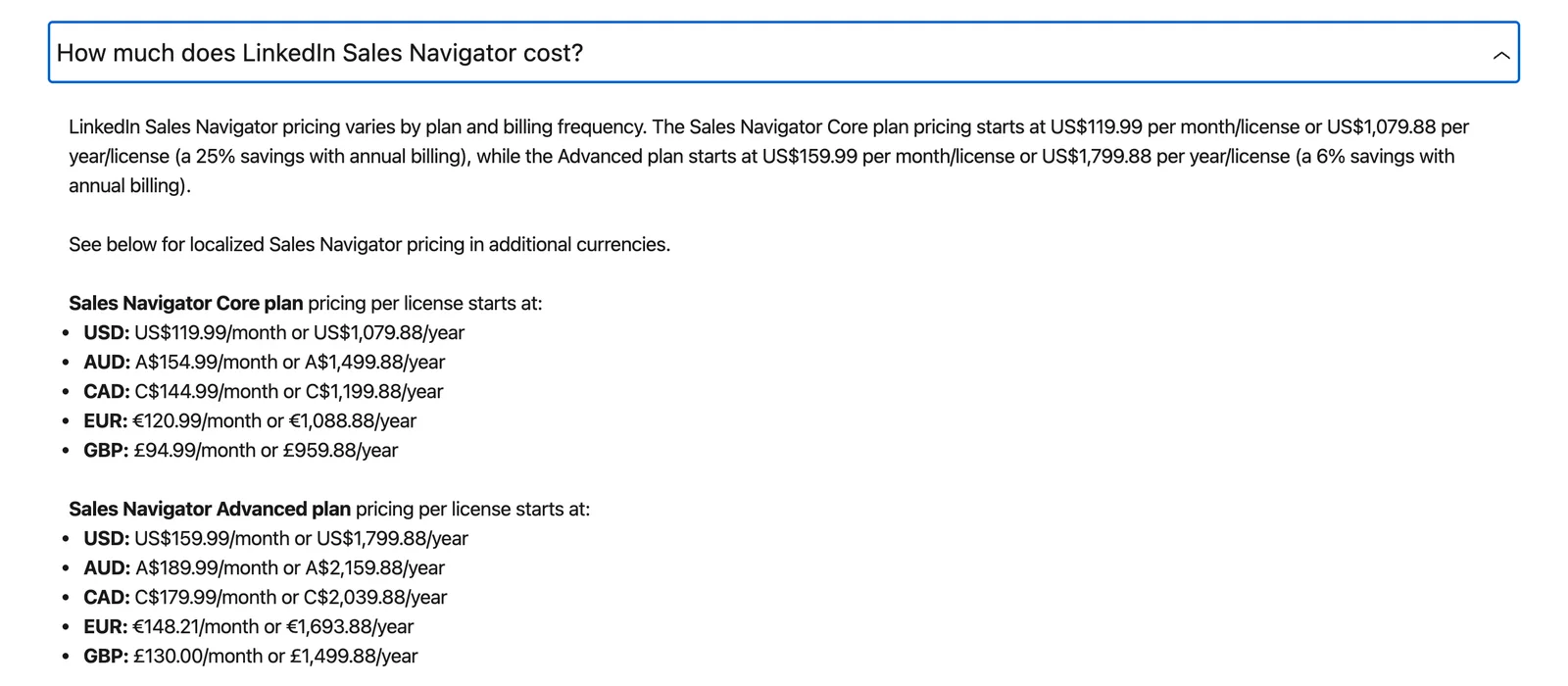
LinkedIn shows local prices. The same compare plans page lists these starting prices in other currencies (November 2026):
| Currency | Core, monthly | Core, annual | Advanced, monthly | Advanced, annual |
|---|---|---|---|---|
| USD | US$119.99 | US$1,079.88 | US$159.99 | US$1,799.88 |
| EUR | €120.99 | €1,088.88 | €148.21 | €1,693.88 |
| GBP | £94.99 | £959.88 | £130.00 | £1,499.88 |
| CAD | C$144.99 | C$1,199.88 | C$179.99 | C$2,039.88 |
| AUD | A$154.99 | A$1,499.88 | A$189.99 | A$2,159.88 |
LinkedIn adds three caveats in small print: the prices are estimates, they may exclude VAT or GST and promotional discounts, and "slight variations may occur across device types". The price you see at checkout, after you click Try Core or Try Advanced, is the one that counts. If you buy through the LinkedIn mobile app, expect it to differ a little from desktop.
The annual discount: 25% on Core, 6% on Advanced
This is the part most pricing articles skip. LinkedIn's own FAQ says annual billing saves 25% on Core but only 6% on Advanced. In dollars:
- Core: 12 months at $119.99 is $1,439.88. The annual plan is $1,079.88, so paying yearly saves $360 per seat.
- Advanced: 12 months at $159.99 is $1,919.88. The annual plan is $1,799.88, so paying yearly saves $120 per seat.
So on Core, annual billing is a real decision: you save a quarter, but you're committed for the year (LinkedIn's cancellation policy says an annual plan cancels at the end of the paid year; a monthly plan cancels at the end of the current month). On Advanced, the saving is small enough that monthly billing is often the better bet until you know the team will keep using it.
InMail credits on each plan
All three Sales Navigator plans include 50 InMail credits a month per seat. Advanced and Advanced Plus don't give you more. A few rules from LinkedIn Help (November 2026) that matter for budgeting:
- Credits arrive on the first day of each month (UTC), not on your billing date.
- Unused credits roll over, up to a maximum of 150, and must be used within 90 days.
- You can't buy extra InMail credits in Sales Navigator.
- You get a credit back for every InMail that gets a response within 90 days, including the quick "Interested", "Maybe later" and "Not interested" replies.
- If you cancel or change your subscription type, your credits don't carry over.
So the realistic ceiling is about 50 new conversations a month per seat, plus whatever comes back from replies. If you want the full mechanics, see our post on LinkedIn InMail credits, or the short definition in our glossary: what InMail is.
What Core includes
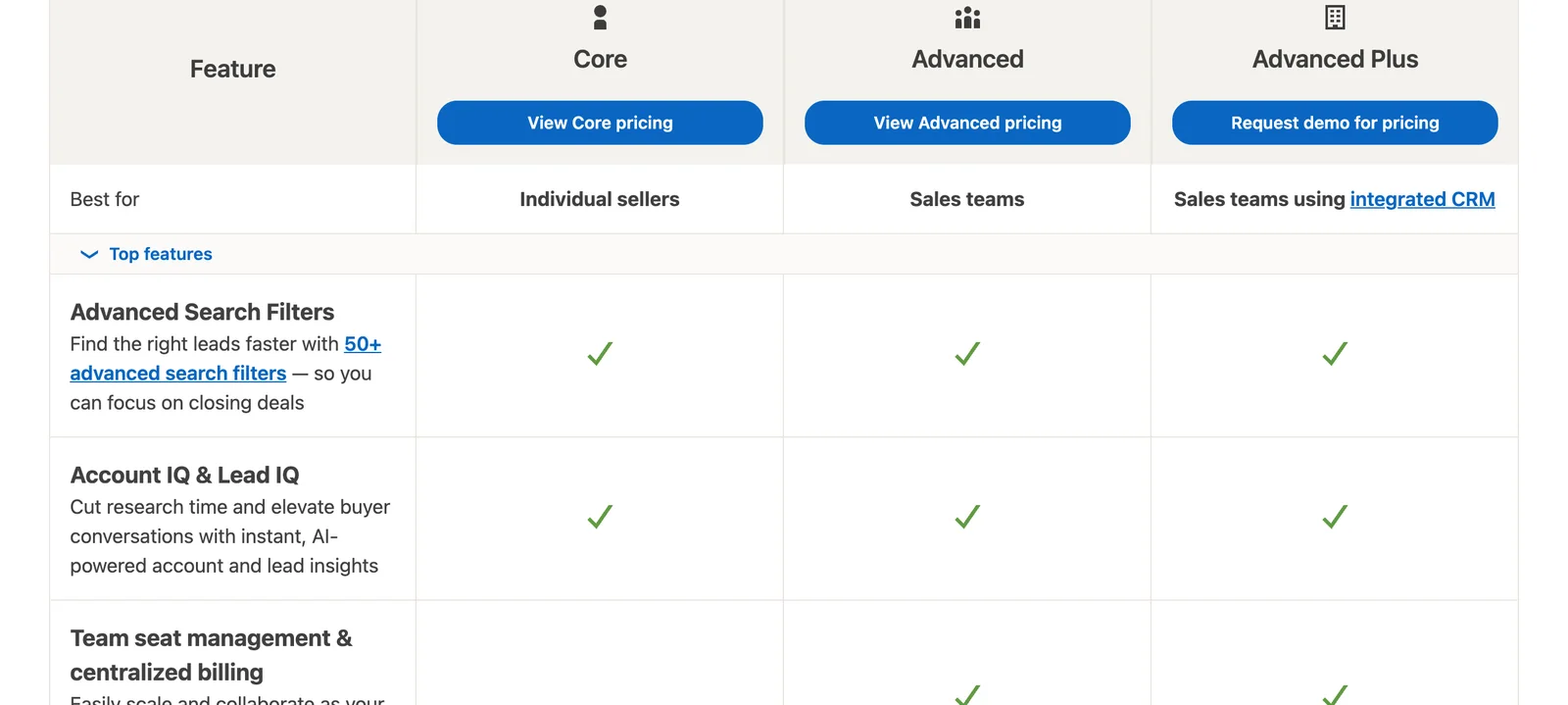
Core is the solo plan. LinkedIn Help describes it as "solo prospecting (single seat) with advanced search and alerts". According to LinkedIn's compare plans page and the LinkedIn Help plan comparison, Core includes:
- Advanced Search, which LinkedIn describes as 50+ search filters for leads and accounts
- Account IQ and Lead IQ (AI-generated summaries of an account or a lead)
- Relationship Explorer and Relationship Map
- Alerts on your saved leads and accounts, such as job changes and new posts
- Message Assist (AI-drafted messages)
- Custom lists, and up to 10,000 saved leads and accounts per user (LinkedIn Help also caps each lead list at 1,000)
- 50 InMail credits a month
- Premium account features (LinkedIn says every Sales Navigator plan includes access to Premium Business features)
What Core doesn't have: TeamLink, Smart Links, Buyer Intent, shared lists and saved searches, team reporting, CSV upload of your book of business, and any CRM sync.
What Advanced adds
Advanced is LinkedIn's team plan without CRM sync. On top of everything in Core, LinkedIn lists:
- TeamLink and TeamLink Extend: shows which coworkers are connected to a lead, so you can ask for a warm introduction.
- Smart Links: share content in one trackable link and see how prospects engage with it.
- Buyer Intent: alerts when people at a saved account engage with your LinkedIn Company Page or website.
- Shared custom lists and saved searches with teammates.
- Team seat management and centralized billing, plus team usage reporting.
- Book of business upload by CSV.
- Enterprise SSO and a dedicated account team, but only if you buy through a LinkedIn sales representative.
The $40 a month difference over Core is mostly about working as a team. If you sell alone, few of these help you. TeamLink is only useful when your coworkers have relevant connections, and Buyer Intent depends on people from your target accounts visiting your page or site.
What Advanced Plus adds
Advanced Plus is the Sales Navigator plan with CRM sync. LinkedIn lists CRM sync with Salesforce, HubSpot, Microsoft Dynamics 365 and Oracle Sales, plus:
- Lead and contact creation in your CRM straight from Sales Navigator
- CRM data inside Sales Navigator (auto-saved leads and accounts from your CRM, opportunity information) and Sales Navigator data in your CRM
- Embedded Profiles (LinkedIn says they've been Advanced Plus only since February 1, 2025)
- ROI reporting for admins, CRM sandbox support and license assignment by CRM role
- Sales Navigator for Microsoft Teams
LinkedIn doesn't publish a price. Its FAQ says Advanced Plus pricing "is customized based on your sales team's size, CRM integration, and onboarding/training needs", and you get a quote through a demo request. You'll find per-seat estimates for Advanced Plus around the web, but none of them come from LinkedIn, so we've left them out.
What a team pays: 1, 5 and 10 seats
Here's the math at LinkedIn's published US prices (November 2026), before tax:
| Seats | Core, monthly billing | Core, annual billing | Advanced, monthly billing | Advanced, annual billing |
|---|---|---|---|---|
| 1 | $119.99 a month ($1,439.88 a year) | $1,079.88 a year | $159.99 a month ($1,919.88 a year) | $1,799.88 a year |
| 5 | $599.95 a month ($7,199.40 a year) | $5,399.40 a year | $799.95 a month ($9,599.40 a year) | $8,999.40 a year |
| 10 | $1,199.90 a month ($14,398.80 a year) | $10,798.80 a year | $1,599.90 a month ($19,198.80 a year) | $17,998.80 a year |
Two things to know before you budget for a team:
- Core is a single-user plan. Five people on Core means five separate subscriptions, with no shared billing, shared lists or TeamLink. That's why most teams look at Advanced.
- You can buy up to five Advanced seats online. LinkedIn's FAQ says you can start a trial or buy up to five Advanced licenses from your desktop. For more seats, or for Advanced Plus, you go through LinkedIn's sales team, so a 10-seat quote may not match the list price in the table.
Is there a free trial or a cheaper option?
LinkedIn offers free trials of Core and Advanced to members who aren't on a paid LinkedIn plan and haven't used a free LinkedIn trial in the past 365 days. It asks for a card and emails you seven days before the trial ends. We cover eligibility and how to cancel in our Sales Navigator free trial guide, and signing in is covered in our Sales Navigator login guide.
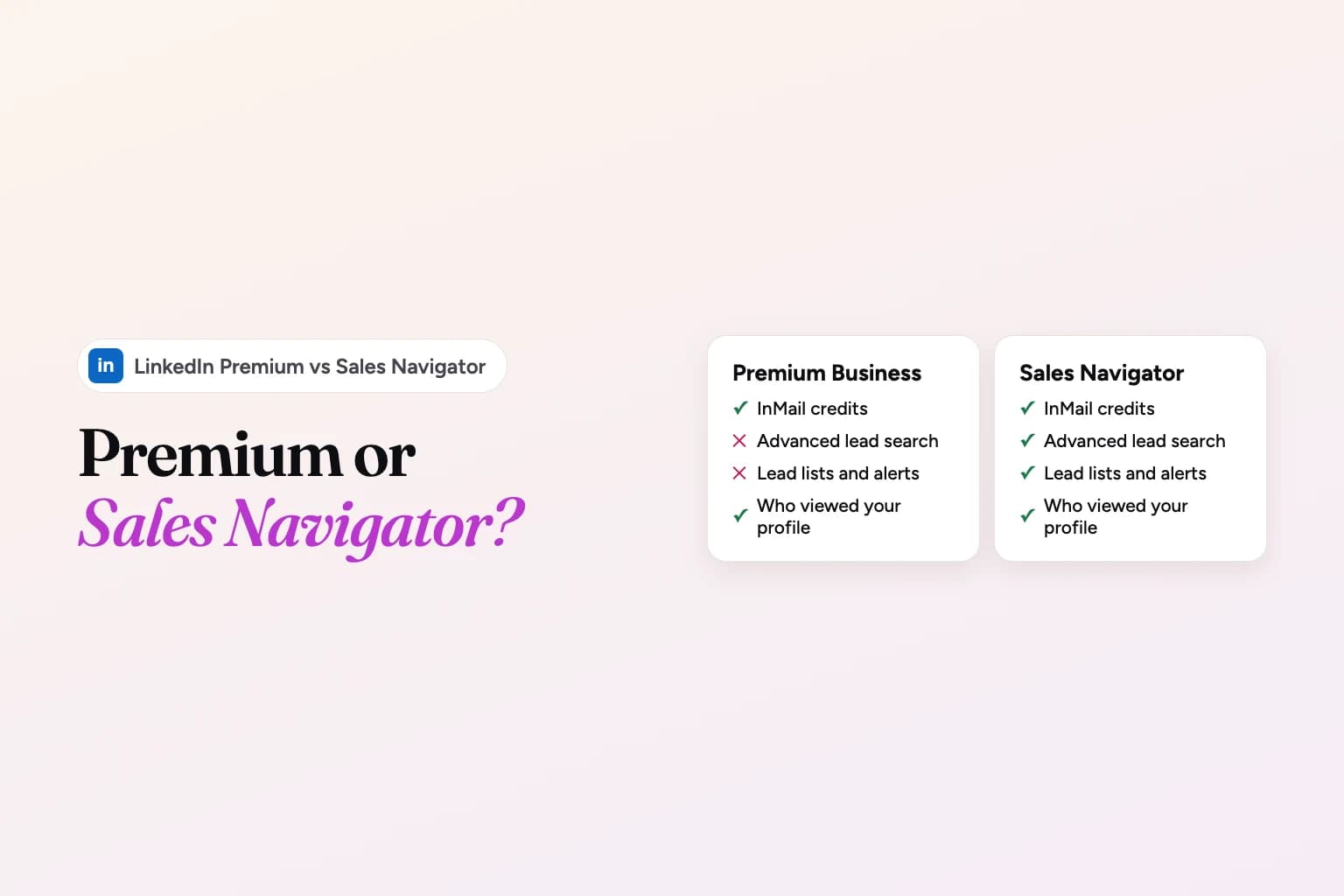
If Sales Navigator feels like more than you need, LinkedIn Premium is the cheaper step. Premium Business starts at $69.99 a month, with 15 InMail credits and limited search filters. We compare the two side by side in LinkedIn Premium vs Sales Navigator.
Is Sales Navigator worth the price?
It depends on how much of your pipeline starts on LinkedIn. A rough way to decide:
- Worth it: you sell B2B, your buyers are active on LinkedIn, and you'll use the search filters, saved lead alerts and InMail every week. If it helps a rep book even one extra meeting a month, $90 to $120 a month is usually easy to justify.
- Advanced is worth it when several reps work the same accounts and you want shared lists, TeamLink introductions and one bill.
- Advanced Plus is worth asking about when your team lives in Salesforce, HubSpot, Dynamics or Oracle and you want LinkedIn data in the CRM without copying it by hand.
- Probably not worth it: you only prospect now and then, you mostly sell by email or phone, or you need contact details. None of LinkedIn's plan pages list email addresses or phone numbers as a Sales Navigator feature, so many teams pay for a separate data tool on top.
Also keep in mind what Sales Navigator is: a search, research and messaging tool inside LinkedIn. It helps you find the right people and write to them. Running sequences of invites, follow-ups and emails is a different job, and you'd still do that by hand or with another tool.
A different approach: outreach and leads in one seat
This is where Weezly comes in, and we'll keep it fair. Sales Navigator's strength is LinkedIn's own data: its search depth, its 50+ filters, live alerts on job changes and posts, and TeamLink. No outside tool has that view of LinkedIn's network, and if deep account research is the core of your selling, Sales Navigator is hard to replace.
Weezly solves a different part of the job. Weezly Outreach runs your LinkedIn sequences (invites, messages, voice notes, comments and an AI video of you in the DM), and the Leads Database gives you 300M+ contacts and 30M+ companies to search, with 5,000 verified emails included. Its filters are simpler than Sales Navigator's: job title, job level, job function, location, company and education. It has emails, not phone numbers, so if you need direct dials, other data tools do that better. Every lead is scored 1 to 10 against your ideal customer, and campaigns that only reach leads scoring 6 or higher get 2.97x more replies (Weezly campaign data, 2026).
| Sales Navigator Core | Weezly Growth | Weezly Multichannel | |
|---|---|---|---|
| Price | $119.99 a month ($89.99 billed annually) | $59 a month per LinkedIn sender | $99 a month per seat |
| Lead search | LinkedIn's own data, 50+ filters | 300M+ contacts, 6 filters | 300M+ contacts, 6 filters |
| Emails | Not listed | 5,000 verified emails included | 5,000 verified emails included |
| Automated LinkedIn sequences | Not listed | Yes | Yes |
| Email sequences | Not listed | No (LinkedIn only) | Yes, one email sender |
| Inbox | Sales Navigator inbox | Unibox, all senders in one inbox | Unibox, all senders in one inbox |
| Booking pages | Not listed | Yes | Yes |
Plenty of teams use both: Sales Navigator for research, Weezly for the outreach that follows. AI video minutes are an add-on on either Weezly plan, from $99. You can start a free trial: 21 days on the Multichannel seat, 7 days on the Growth plan. Full details are on our pricing page.
Sales Navigator pricing FAQ
How much does LinkedIn Sales Navigator cost per month?
In the US, Core costs $119.99 a month and Advanced $159.99 a month per seat, billed monthly (LinkedIn's compare plans page, November 2026). Billed annually, they work out to $89.99 and $149.99 a month.
How much is Sales Navigator per year?
Core is $1,079.88 a year and Advanced is $1,799.88 a year per seat, in US dollars. Advanced Plus is priced by quote.
Why is Sales Navigator cheaper on the annual plan?
LinkedIn gives a 25% discount for annual billing on Core and 6% on Advanced. You pay for the year up front, and an annual plan can only be cancelled for the end of the paid year.
How many InMail credits do you get with Sales Navigator?
50 a month per seat on Core, Advanced and Advanced Plus. Unused credits roll over up to 150 and must be used within 90 days. You can't buy more.
What's the difference between Sales Navigator Core and Advanced?
Advanced adds team features: TeamLink, Smart Links, Buyer Intent, shared lists and saved searches, centralized billing, team reporting and CSV upload of your book of business. Search filters and InMail credits are the same on both.
How much does Sales Navigator Advanced Plus cost?
LinkedIn doesn't publish it. Pricing depends on your team's size, CRM integration and onboarding needs, and you get a quote from LinkedIn's sales team.
Does Sales Navigator include LinkedIn Premium?
LinkedIn says every Sales Navigator plan includes access to Premium Business features. Note that Premium InMail credits and Sales Navigator InMail credits are separate: LinkedIn Help says Premium credits can't be used to send InMail in Sales Navigator.
Is Sales Navigator cheaper in other countries?
Prices are set per currency. For example, Core is £94.99 a month in the UK and €120.99 a month in euros on LinkedIn's compare plans page, and those prices may exclude VAT. Check the price LinkedIn shows you at checkout.