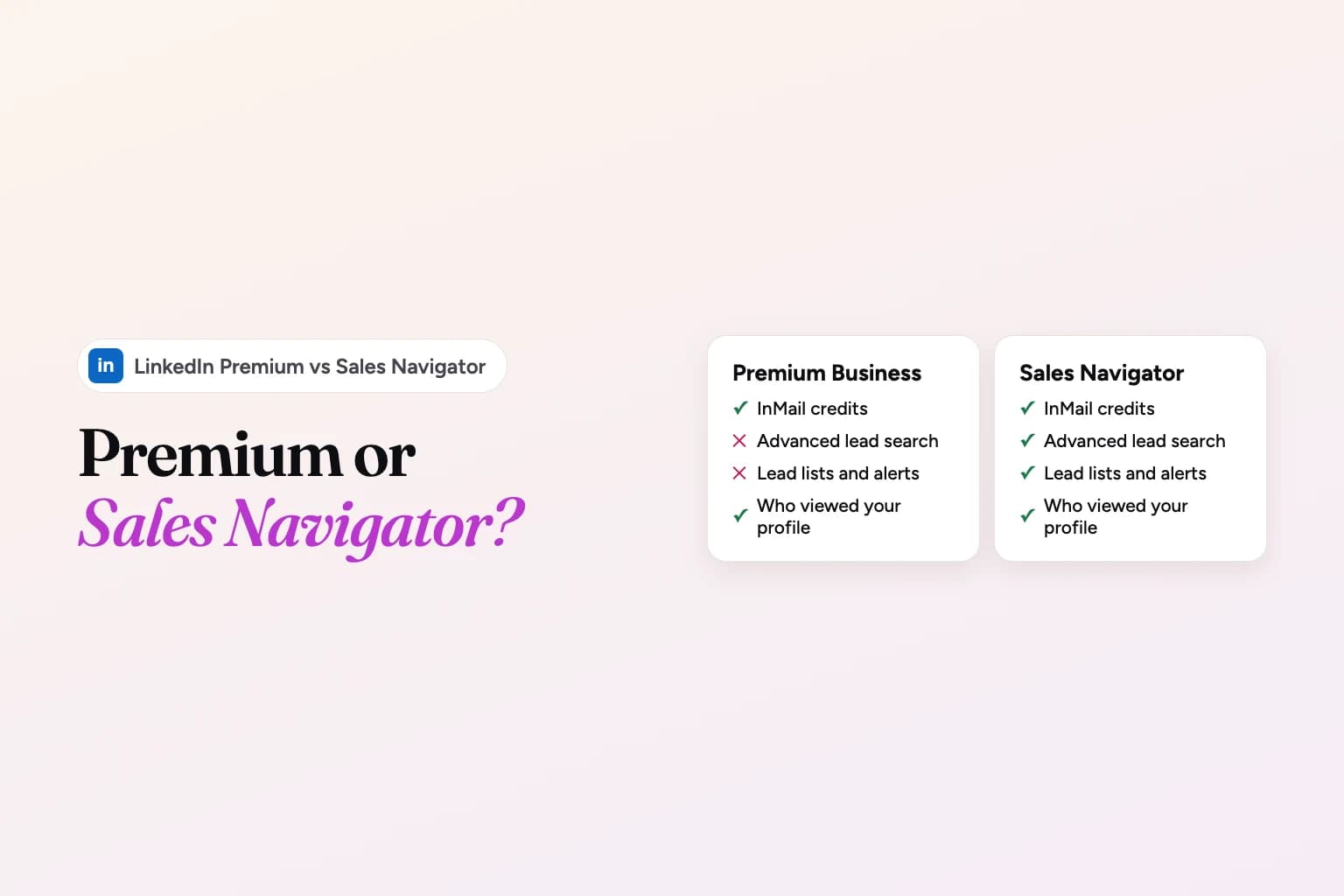
LinkedIn Premium is the upgrade for your own career and profile, while Sales Navigator is LinkedIn's dedicated tool for finding and contacting buyers. Premium starts at $39.99 a month (Premium Career) and goes up to $89.99 (Premium All-in-One). Sales Navigator Core starts at $119.99 a month, gives you 50 InMail credits instead of 5 to 30, and adds 50+ sales search filters, lead lists and real-time alerts. LinkedIn also says every Sales Navigator plan includes Premium Business features.
So if you're job hunting or building your profile, Premium is the right buy. If you prospect on LinkedIn every week, Sales Navigator is. The tricky middle is Premium Business and Premium All-in-One, which give you some sales tools for less. Everything below comes from LinkedIn's own plan pages and LinkedIn Help, read in November 2026, with US dollar prices.
Quick note on who's writing this. We make Weezly, a LinkedIn and email outreach tool. There's one short section about us near the end. The comparison itself sticks to what LinkedIn publishes.
The LinkedIn plans you're choosing between
LinkedIn Help lists these paid subscriptions for members (November 2026):
- Premium Career: for getting hired and moving up. LinkedIn says it's best for active job seekers, career changers and people who want LinkedIn Learning.
- Premium Business: for networking and personal branding. LinkedIn describes it as "generalist features" for small business owners, leaders and executives.
- Premium All-in-One: for small business owners, founders and solopreneurs who "do it all": Premium Business plus daily prospect suggestions, post boosting credits and job promotion credits.
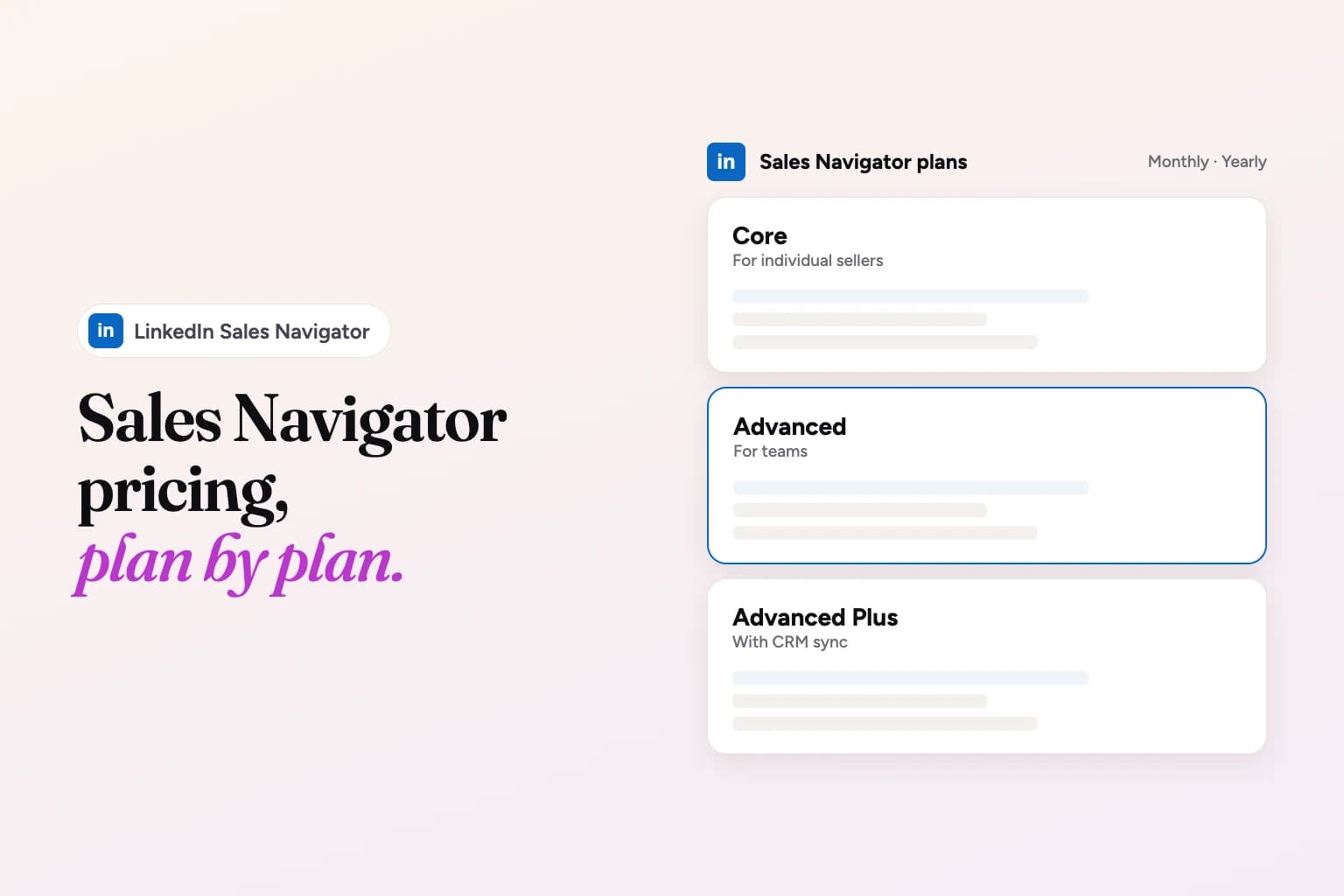
- Sales Navigator: for sales professionals and teams. It comes in three plans: Core, Advanced and Advanced Plus. This guide compares Premium with Core, the entry plan. For the other two, see our Sales Navigator pricing guide.
Two other plans exist but solve different problems: Recruiter Lite is for hiring, and Premium Company Page is for a company's Page rather than a person.
Prices: Premium vs Sales Navigator
| Plan | Billed monthly | Billed annually | Annual discount |
|---|---|---|---|
| Premium Career | $39.99 a month | $239.88 a year | 50% |
| Premium Business | $69.99 a month | $539.88 a year | 36% |
| Premium All-in-One | $89.99 a month | $899.88 a year | 17% |
| Sales Navigator Core | $119.99 a month | $1,079.88 a year | 25% |
Sources: LinkedIn's Premium Career, Premium Business and Premium All-in-One pages and the Sales Navigator compare plans page, November 2026. All four say these are starting prices that may exclude VAT or GST and promotional discounts, and that the price at checkout is the real one. LinkedIn also shows prices in your local currency.
Career and Business also have a Duo option, where two people each get their own license on one subscription: US$59.98 a month for Career Duo and US$118.98 a month for Business Duo, per the same pages.
Side-by-side: what each plan includes
This table combines LinkedIn's Premium versus Sales Navigator page (updated August 1, 2026), the LinkedIn Help plan comparison and the Premium Career page. Where LinkedIn says "Limited", so do we.
| Feature | Free LinkedIn | Premium Career | Premium Business | Premium All-in-One | Sales Navigator Core |
|---|---|---|---|---|---|
| Price (monthly billing) | Free | $39.99 | $69.99 | $89.99 | $119.99 |
| InMail credits a month | None to send | 5 | 15 | 30 | 50 |
| Most InMail credits you can bank | None | 15 | 45 | 90 | 150 |
| Search filters for prospecting | Basic | Job-search filters (people actively hiring, jobs where you're a top applicant) | Limited | Limited | Advanced: 50+ sales filters |
| Who viewed your profile | Limited | Past 365 days | Past 365 days | Past 365 days | Past 365 days |
| Saved leads and lead recommendations | No | No | No | Yes | Yes, up to 10,000 saved leads and accounts |
| Custom lead and account lists | No | No | No | No | Yes |
| Real-time sales alerts | No | No | No | Limited: post activity and tips | Yes: job changes, account news and more |
| Account and prospect insights | No | No | No | Limited: basic prospect insights | Account IQ and Lead IQ |
| AI help with messages | No | Message proofreader | AI message drafts | Basic message editor | Message Assist |
| Relationship Explorer and Relationship Map | No | No | No | No | Yes |
| Private browsing | No | Yes | Yes | Yes | Yes |
| LinkedIn Learning | No | Yes | Yes | Yes | Yes |
| Custom button on your profile | No | No | Yes | Yes | Yes |
| Top choice jobs | No | Yes | Yes | Yes | No |
| Post boosting and hiring credits | No | No | No | $50 each a month | No |
| Separate Sales Navigator interface | No | No | No | No | Yes |
A few notes on the table:
- Free accounts: LinkedIn Help says a basic account can receive InMail but has no credits to send it, and can save up to three searches with weekly alerts.
- Search on Premium Business: LinkedIn's Premium Business page mentions "advanced search filters", but its own Premium versus Sales Navigator page rates Premium Business search as "Limited" next to Sales Navigator's 50+ sales filters. Read it as more than the free account, much less than Sales Navigator.
- AI message drafts: LinkedIn's comparison page says Premium Business helps you "confidently contact new leads with AI message drafts", while its table lists only a "basic message editor" for All-in-One and Message Assist for Sales Navigator.
- All-in-One credits: LinkedIn says annual subscribers get the year's credits up front ($600 for post boosting and $600 for hiring), and the credits may differ by region and currency.
InMail: the biggest practical difference
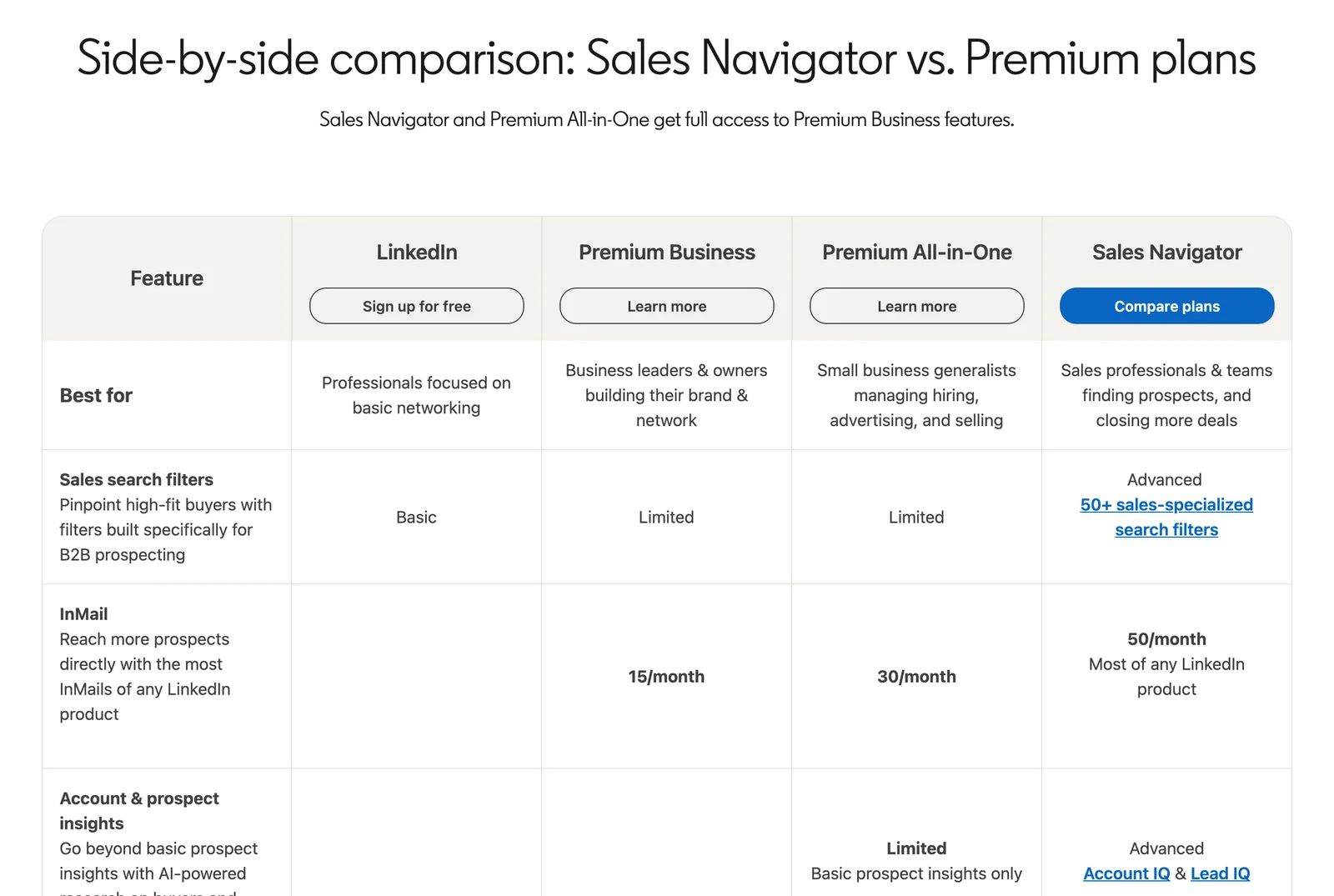
For anyone doing outreach, InMail credits are usually what tips the decision. LinkedIn Help's InMail credits article lists the monthly allowance and the most you can bank:
- Premium Career: 5 a month, up to 15 banked
- Premium Business: 15 a month, up to 45
- Premium All-in-One: 30 a month, up to 90
- Sales Navigator (every plan): 50 a month, up to 150
Some details that catch people out, all from LinkedIn Help:
- Premium credits renew on your sign-up date. Sales Navigator credits renew on the first day of every month, whatever your billing date.
- Premium InMail credits can't be used to send InMail in Sales Navigator, and credits don't transfer when you upgrade.
- Every InMail that's accepted, declined or answered within 90 days is credited back, on both Premium and Sales Navigator.
- No plan has unlimited InMail, and Sales Navigator doesn't sell extra credits.
More on how credits work in our post on LinkedIn InMail credits.
Who each plan is for
Premium Career: job seekers and career changers
Pick it if you're looking for a job, want recruiters to notice you, or want LinkedIn Learning. Its 5 InMail credits are meant for hiring managers, not prospects, and it has no sales tools at all.
Premium Business: building your network and profile
Pick it if you're a founder, consultant or executive who wants a stronger profile, a custom button, a year of profile viewers and a few InMails to people outside your network. It's fine for occasional outreach, but there are no lead lists, saved leads or sales alerts.
Premium All-in-One: small business owners doing a bit of everything
Pick it if you sell, post and hire yourself. You get 30 InMail credits, daily prospect suggestions, saved leads and $50 a month each for boosting posts and promoting jobs. LinkedIn positions it for people who don't want to become "an expert in sales technology". It's the closest Premium gets to Sales Navigator, but it still has limited search and no custom lead lists.
Sales Navigator Core: anyone who prospects every week
Pick it if finding and contacting buyers on LinkedIn is part of your job. The 50+ filters, custom lead and account lists, alerts on saved leads, Account IQ and Lead IQ, and 50 InMail credits are all built for that. And you don't lose Premium Business features: LinkedIn says Sales Navigator includes them. If you work in a team and want shared lists and TeamLink, look at Advanced instead.
Decision guide
| If you... | Pick |
|---|---|
| Are job hunting or changing careers | Premium Career |
| Want a stronger profile and the odd InMail to someone new | Premium Business |
| Run a small business and also post content and hire | Premium All-in-One |
| Need to find buyers by title, company, region and more, and track them | Sales Navigator Core |
| Send more than about 30 InMails a month | Sales Navigator (50 a month) |
| Sell in a team that shares accounts | Sales Navigator Advanced |
| Need LinkedIn data synced to Salesforce, HubSpot, Dynamics or Oracle | Sales Navigator Advanced Plus |
Can you have both, or switch later?
LinkedIn says Premium and Sales Navigator are individual subscriptions tied to your profile. Eligible subscribers can switch plans, though depending on your plan and how you bought it, you may need to cancel the current one first. If you move from Sales Navigator back to Premium, you lose the Sales Navigator features, such as sales search, buyer alerts, TeamLink and CRM integrations. Since Sales Navigator already includes Premium Business features, most people don't need both.
Both have free trials for eligible members. For Sales Navigator, LinkedIn says the trial is for members who aren't on any paid LinkedIn plan and haven't used a LinkedIn free trial in the past 365 days. The details are in our Sales Navigator free trial guide, and if you're already subscribed, see how to log in to Sales Navigator.
Where Weezly fits
Premium and Sales Navigator help you find people and write to them one at a time. Neither runs a sequence for you: the invite, the follow-up two days later, the email if they don't reply. That's what Weezly Outreach does, with LinkedIn invites, messages, voice notes, comments and an AI video of you in the DM. The Growth plan is $59 a month per LinkedIn sender and includes our Leads Database (300M+ contacts, 5,000 verified emails included) and booking pages. The Multichannel seat is $99 a month and adds an email sender and the AI Sales Assistant.
To be fair about it: our database's filters (job title, job level, job function, location, company and education) are simpler than Sales Navigator's, and LinkedIn's own data is something no outside tool matches. Many teams research in Sales Navigator and run the outreach in Weezly. You can start a free trial: 21 days on the Multichannel seat, 7 days on the Growth plan. Plans are on our pricing page.
LinkedIn Premium vs Sales Navigator FAQ
Is Sales Navigator better than LinkedIn Premium?
For sales prospecting, yes: it has 50 InMail credits a month, 50+ sales search filters, lead lists and alerts, and it includes Premium Business features. For job hunting, Premium Career is the better and cheaper fit.
Does Sales Navigator include LinkedIn Premium?
LinkedIn says all three Sales Navigator plans (Core, Advanced and Advanced Plus) include access to Premium Business features.
How much more does Sales Navigator cost than Premium?
Billed monthly in the US, Sales Navigator Core is $119.99, against $69.99 for Premium Business and $89.99 for Premium All-in-One (LinkedIn, November 2026). Billed annually, Core is $1,079.88 a year and Premium Business $539.88.
Which LinkedIn plan has the most InMail credits?
Sales Navigator, with 50 a month on every plan. Premium All-in-One has 30, Premium Business 15 and Premium Career 5.
Can I use Premium InMail credits in Sales Navigator?
No. LinkedIn Help says Premium InMail credits can't be used to send InMail in Sales Navigator or Recruiter, and credits don't transfer when you upgrade.
Does LinkedIn Premium Business have advanced search?
It has more than the free account, but LinkedIn's own comparison rates its sales search as "Limited". The 50+ sales-specific filters are a Sales Navigator feature.
Is Premium All-in-One a cheaper Sales Navigator?
Partly. It adds saved leads, daily prospect suggestions and 30 InMail credits, but LinkedIn lists its search, alerts and prospect insights as "Limited", and it has no custom lead lists. It also includes post boosting and hiring credits that Sales Navigator doesn't.