Most lead scoring advice tells you to start with the company. Funding round, headcount, tech stack, industry code. We built our ICP scoring that way, backtested it against outreach we had actually sent, and found the opposite: adding the company data made the predictions worse.
Here is what we measured on 2,681 contacted leads, and what we shipped because of it.
What an ICP score is, and what it is not
An ICP score is one number, 1 to 10, that says how closely a single lead matches your Ideal Customer Profile, before you spend a message on them.
In Weezly the profile is not a form you fill in. Weezly reads your website once and builds it for you: the job titles that actually buy, the headline keywords that signal fit, the industries you serve, the company sizes, the geography, and the disqualifiers, the people you never want to contact. Every word of it is editable afterwards in Settings, because a profile written off your homepage is a starting point, not a verdict.
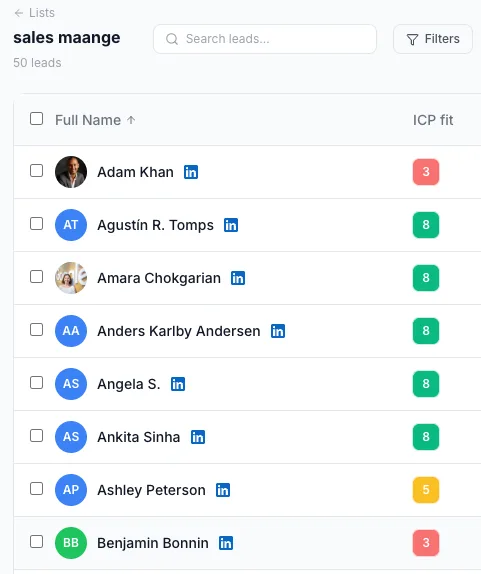
In Weezly Outreach, every lead is then scored against that profile. The score appears as a colored square in your lead list, and you can filter on it: strong fit, good fit, weak fit, poor fit, or not yet scored.
That part is easy to build. The hard question is whether the number means anything.
What we measured: 2,681 leads with real outcomes
We backtested the scoring on 2,681 leads that had actually been contacted, so every one of them carried a real result: replied, or did not.
| ICP score band | Reply rate |
|---|---|
| 1 to 3 | 1.67% |
| 4 to 5 | 2.92% |
| 6 to 7 | 6.01% |
| 8 to 10 | 6.32% |
Leads scoring 6 to 10 replied 2.97 times more often than leads scoring 1 to 5, significant at p below 0.001. In plain terms: a split this lopsided is very unlikely to be noise.
One caveat worth stating plainly. That is our historical sample, on our data. It is not a promise about your reply rate. Your profile, your market and your copy all move that number. What the backtest establishes is that the score separates repliers from non-repliers, not how much lift any individual account will see.
The cliff sits between 5 and 6
The interesting part of that table is not that higher scores reply more. It is where the jump happens.
Between a 5 and a 6, the reply rate roughly doubles. Above 6, it flattens out. A 6 to 7 lead replies at 6.01% and an 8 to 10 lead at 6.32%, which is close enough to call them the same population.
That is why the recommended minimum is 6 and not a rounder-sounding 7 or 8. A threshold of 8 feels more rigorous, and it is the number people instinctively reach for when they are setting a gate for the first time. In our data it mostly discards 6s and 7s that reply about as well as 8s do. You shrink your addressable list for no measurable gain.
Set the threshold at the cliff, not at the round number.
The surprise: company data made the scoring worse
This is the result that changed the product.
Before shipping, we tested enriching every lead with company data before scoring it: the firm, its size, its industry, the standard firmographics that almost every B2B lead scoring model leans on. The expectation was obvious. More context, better prediction.
It went the other way. Scoring on the person alone, their job title, LinkedIn headline, company name and location, separated repliers from non-repliers better than scoring with company enrichment added on top.
We think the reason is fairly prosaic. A reply is a human act. It comes from one person deciding that your message is worth thirty seconds of their morning. Their job title, and the way they describe themselves in their own headline, tell you a great deal about that decision. A company's funding round tells you about a buying committee that might convene next quarter, if it ever does.
Put differently: firmographic data predicts whether an account could eventually buy something. Person-level data predicts whether this human answers you on Tuesday. In outbound, only one of those is the thing you are actually optimizing for, and it is not the one the lead enrichment industry is built around.
There is a second, less flattering explanation that probably contributes too. Enrichment adds noise, and every extra field is another chance to attach something stale or wrong to a lead.
So Weezly's ICP scoring is deliberately person-first. That is the opposite of how most lead scoring and account scoring tools work, and we did not set out to build it that way. The data pushed us there.
Where the score earns its keep: your daily sending limits
A score you merely look at is worth very little. Sorting a list by fit and then working down it from the top is a habit, not a system, and it collapses the first busy week you have.
The reason it matters more on LinkedIn than in a CRM is arithmetic. LinkedIn gives you a fixed number of connection requests and messages per day. Email has its own ceiling. That daily allowance, not the supply of leads, is the genuinely scarce resource in outbound. Leads are effectively infinite. Touches are not.
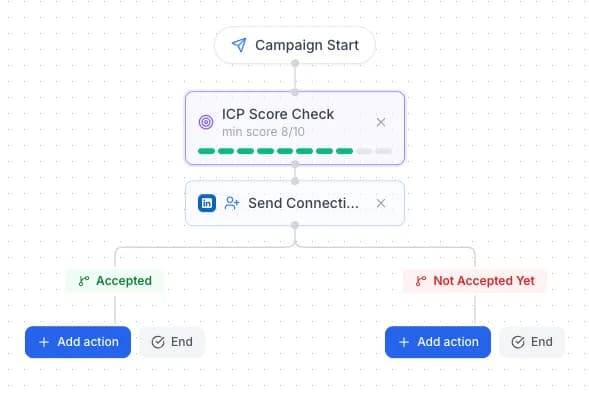
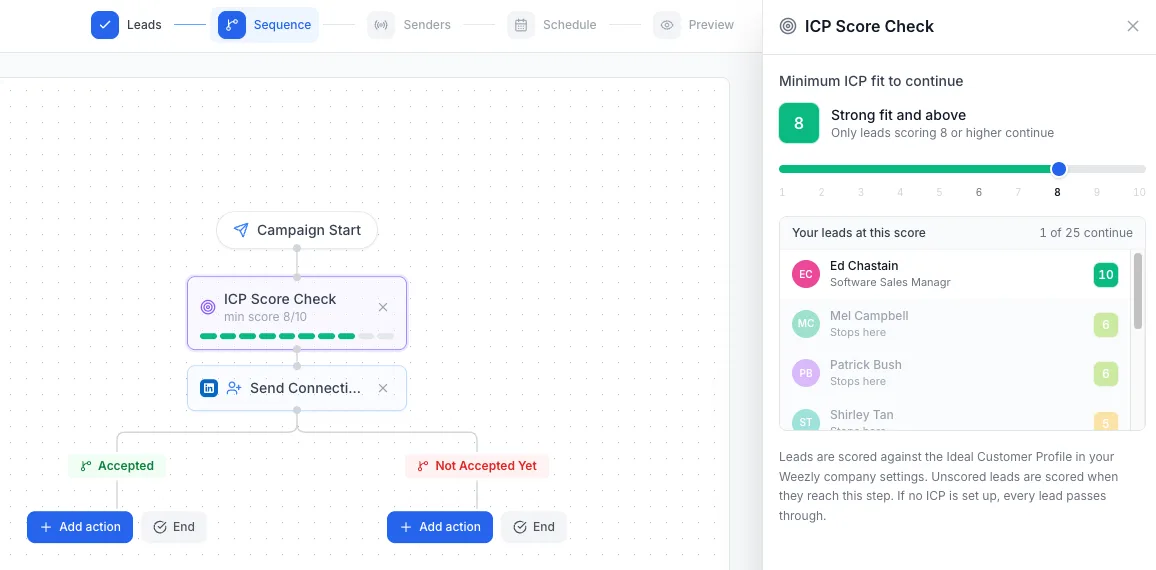
So inside a Weezly campaign you add an ICP Score Check step and pick a minimum score on a slider. Only leads at or above it continue through the sequence. Everything below stops there and is never contacted.
That turns the score from a sorting aid into a gate. A 3 is not "deprioritized" somewhere down a list. It never receives a connection request, and the request it would have consumed goes to a 7 instead.
And because leads that have not been scored yet are scored automatically the moment they reach that step, there is no list preparation to do first. You can point a raw import at a live campaign and let the gate sort it out on the way through.
How to turn it on
Let Weezly read your site. Open Settings and generate the profile. Then actually read it and fix what is wrong, especially the disqualifiers. Editing those is the fastest single improvement you can make to the scores.
Sanity-check the scores. Open a lead list and look at the ICP fit column. Filter to poor fit, then to strong fit, and compare the names against your own judgement. If you disagree with a score, the profile needs another edit. Do not argue with the number, change what it is measuring against.
Add the gate. Drop an ICP Score Check step near the top of your campaign and set the minimum to 6. The step shows you how many of your leads still continue at that setting before you launch, so you can see the trade-off rather than guess at it.
The scoring is powered by Weezly AI Intelligence and is included on every plan.
The honest summary of the exercise: we set out to build a lead qualification feature and ended up with a budgeting one. The score is not really about finding better leads. It is about making sure the finite number of messages you are allowed to send each day goes to the people most likely to answer.