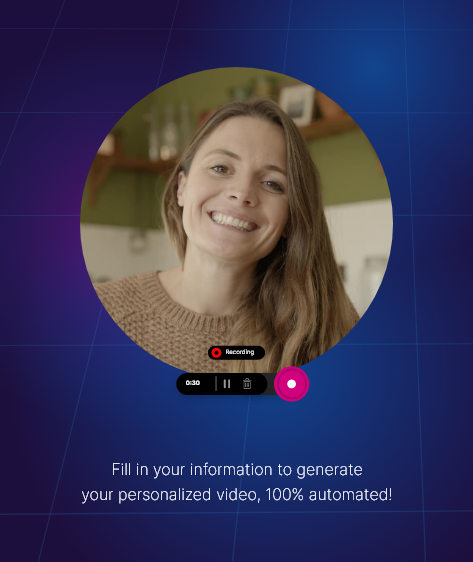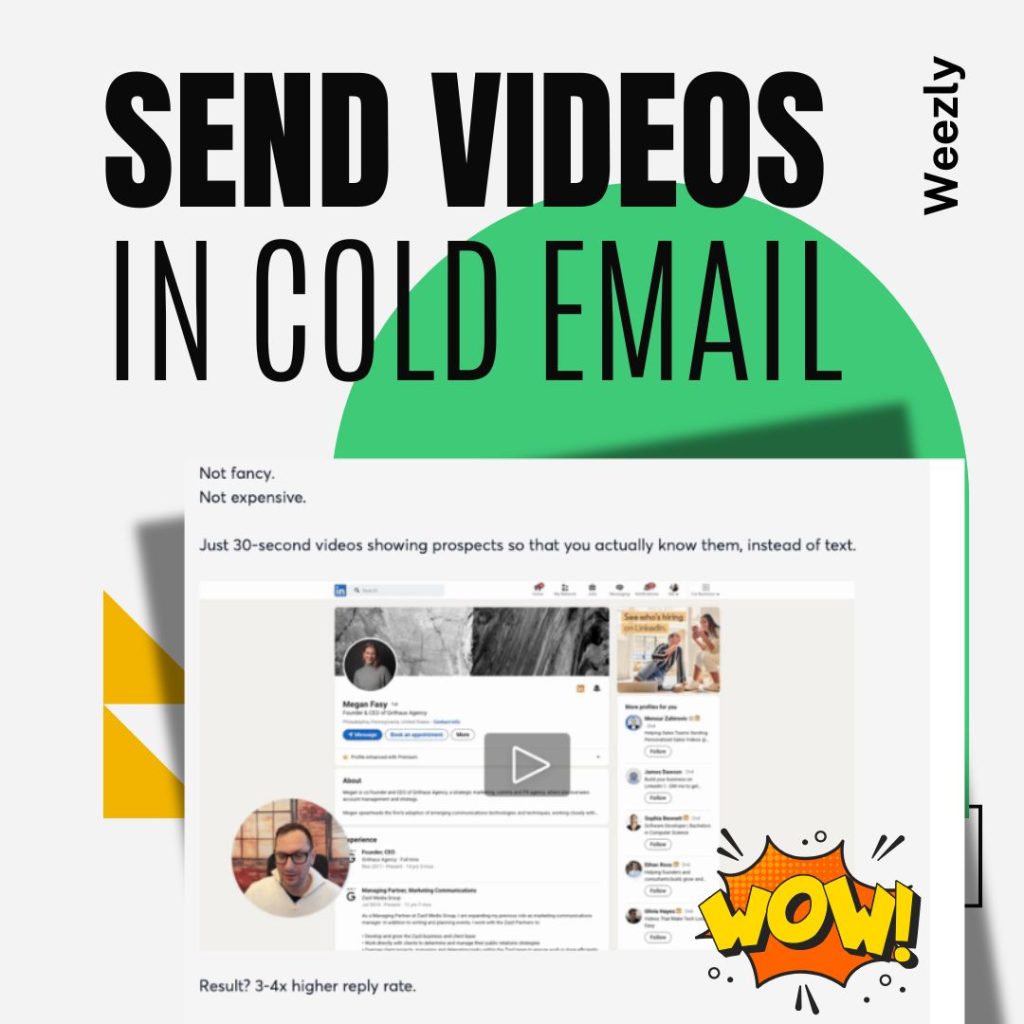
Sending video in cold email is one of the fastest ways to boost reply rates in 2026, but most people do it wrong and end up in spam. The trick is not embedding actual video files. Instead, you use a personalized thumbnail image that links to a video landing page with built-in scheduling. Tools like Weezly automate this entire process with native Instantly and Smartlead integrations.
If you’ve tried adding video to your cold emails and got terrible deliverability, you’re not alone. I’ve tested multiple approaches and tools. Here’s what actually works without getting flagged.
Watch: How to Send Video in Cold Email (Webinar)
We ran a webinar with Maildoso breaking down the entire video cold email process. If you prefer watching over reading, here’s the full walkthrough:
If you prefer the written version, keep reading below.
Why Video in Cold Email Works So Well
Text-only cold emails are easy to ignore. Your prospect gets 50-100 of them a day. They all look the same. A video thumbnail in the email body breaks that pattern instantly.
The numbers back this up. Sales teams adding personalized video to cold outreach consistently see 2-3x higher reply rates compared to text-only sequences. The reason is simple: video builds trust faster than text. When someone sees your face and hears your voice saying their name and referencing their company, it feels like a real conversation, not mass outreach.
But here’s where most people mess up.
Why Most Video Cold Emails End Up in Spam
The biggest mistake is trying to embed an actual video file or use a heavy video player in the email body. Email clients like Gmail and Outlook strip out video tags, iframes, and most embedded content. What you get is a broken email that looks like spam.
Here’s what kills deliverability:
- Embedding video files directly. Email clients block them. Your email renders broken or gets flagged.
- Using heavy HTML video players. Complex HTML triggers spam filters. The more code in your email, the worse your inbox placement.
- Including too many links. Multiple tracking links from video hosting platforms raise red flags with spam filters.
- Large image files. Oversized video thumbnails slow loading and hurt deliverability scores.
The solution is simpler than you think.
How to Send Video in Cold Email the Right Way
The approach that works in 2026 is the thumbnail-to-landing-page method. Here’s the process:
- Record your video once. Just your face and voice, talking to a prospect as if they’re sitting across from you.
- Generate a personalized thumbnail. This is a GIF or static image that looks like a video player with a play button. The prospect’s name or company appears on it.
- Add the thumbnail to your cold email. It’s just an image with a link. No heavy HTML, no embedded players, no spam triggers.
- Link to a video landing page. When they click, they watch the video on a page you control. This page should have a call-to-action or, even better, a built-in scheduling calendar.
This method keeps your email lightweight (good for deliverability) while still getting the visual impact of video in the inbox.
The Manual Way vs the Automated Way
You can do this manually with Loom or Vidyard. Record a video, take a screenshot, add a play button overlay in Canva, paste it into your email, link it to the Loom page. It works. But you’ll spend 5-10 minutes per prospect, which means maybe 20-30 personalized video emails a day.
If you’re sending 200-500 outreach messages per week, manual recording doesn’t scale.
That’s where AI video tools come in. You record once, and the AI generates a unique video for each prospect with their name, company, and even their LinkedIn profile or website as the video background. The AI clones your face and voice so each video looks and sounds like you recorded it specifically for them.
Tools for Sending Video in Cold Email
Weezly: AI Video with Built-in Scheduling
Weezly is built specifically for this use case. You record your face once, and the AI generates thousands of personalized videos automatically. Each video shows the prospect’s name, company, and LinkedIn profile as the background while you speak directly to them.
What makes it different from other video tools:
- Native integrations with Instantly, Smartlead, HeyReach, and Reply.io. You generate videos inside your outreach tool without switching tabs.
- Built-in scheduling on every video page. Your prospect watches the video and books a meeting without leaving the page.
- Automated personalized thumbnails that work in cold email without triggering spam filters.
- Can send video in the very first email of a cold sequence, not just in follow-ups.
Pricing starts at $99/mo. The Growth plan at $149/mo includes all outreach tool integrations.
Sendspark: Dynamic Personalization
Sendspark uses a different approach. Instead of AI-generating entire videos, it overlays text (prospect name, company) on your recorded video. The result looks personalized but it’s the same base video with dynamic text on top.
Good for simpler personalization. Starts at $49/mo. No built-in scheduling or outreach tool integrations.
Pitchlane: Batch AI Video
Pitchlane generates AI-personalized videos from prospect lists. Upload a CSV, get individual videos back. Similar AI approach to Weezly but without the scheduling component or native outreach tool integrations. You copy-paste video links into your campaigns manually.
Plans start around $49/mo.
Vidyard: Enterprise Option
Vidyard offers AI avatars and video hosting with deep CRM integrations (Salesforce, HubSpot). Better suited for enterprise teams with bigger budgets. No built-in scheduling. Paid plans have custom pricing.
Step-by-Step: Video in Cold Email with Instantly
Here’s how to set it up if you’re using Instantly for cold email (the most common setup in 2026):
- Connect Weezly to Instantly. One-click native integration. No API keys or Zapier needed.
- Record your base video. 30-60 seconds, talking to camera. Introduce yourself, mention the pain point, suggest a meeting.
- Upload your prospect list. Weezly pulls each prospect’s name, company, and LinkedIn data.
- AI generates unique videos. Each one shows the prospect’s information as the video background while your cloned voice says their name.
- Add to your Instantly sequence. The personalized video thumbnail and link are generated automatically inside Instantly. No manual copy-pasting.
- Prospect clicks thumbnail. They land on your Weezly video page with the personalized video and a booking calendar.
- They book a meeting. Right from the video page. No separate Calendly link needed.
The whole setup takes about 15 minutes. After that, every new prospect in your Instantly campaign automatically gets a personalized video.
Tips for Better Video Cold Email Deliverability
- Keep your email text short. 3-4 sentences max before the video thumbnail. Don’t write a novel around it.
- Use a lightweight thumbnail. Under 100KB. GIF thumbnails work but keep them small. Static images with a play button overlay are safer.
- One link only. The video thumbnail link should be the only link in the email. Multiple links hurt deliverability.
- Warm your sending accounts first. Video doesn’t fix bad deliverability fundamentals. Make sure your accounts are warmed and authenticated (SPF, DKIM, DMARC).
- Don’t put video in every email. Use it in step 1 or step 3 of your sequence, not every step. Mixing video and text emails performs better than video-only.
- Test with a small batch first. Send to 50 prospects, check inbox placement, then scale up.
The Infrastructure That Makes Video in Cold Email Work: Weezly + Maildoso
Sending personalized video in cold email is only half the equation. If your email infrastructure is weak, even the best video won’t reach the inbox. That’s why Weezly has partnered with Maildoso to give users the deliverability foundation they need.
Maildoso is an email infrastructure platform built specifically for cold outreach. They manage over 400,000 mailboxes sending 10 million+ emails daily, starting at just $1.80/month per mailbox. Here’s why the combination matters:
- Global Custom Domain Tracking (GCDT). This is the feature that makes video in cold email actually work. GCDT automatically rewrites all links, images, and video thumbnails in your emails to use your own custom domain (e.g., inst.yourdomain.com) instead of shared tracking domains. This eliminates “link-based spam” detection, which is the #1 reason video cold emails get flagged. It’s a free feature you toggle on in settings. Zero technical setup.
- Safe links for video thumbnails. Normally, including a Weezly video link or any external link in a cold email raises spam flags because the tracking domain is shared with thousands of other senders. With GCDT, your video thumbnail link goes through your own domain, so spam filters treat it as a trusted first-party link. This is what lets you put video in the very first cold email without deliverability problems.
- Proper email authentication out of the box. Maildoso auto-configures SPF, DKIM, and DMARC on every domain. Without these, your video cold emails land in spam regardless of content.
- One-click integration with Instantly and Smartlead. Maildoso connects directly to the same outreach tools Weezly integrates with. Your stack becomes: Maildoso (infrastructure) + Instantly/Smartlead (sending) + Weezly (AI video).
- Scale without deliverability drops. Manage dozens of mailboxes starting at $1.80/mo each. 95% deliverability rate across 400,000+ mailboxes.
The typical setup for teams serious about video cold email in 2026:
- Maildoso for email domains and mailboxes ($1.80/mailbox/mo)
- Instantly or Smartlead for campaign management and warmup ($37-97/mo)
- Weezly for AI-personalized video with built-in scheduling ($99-149/mo)
Total cost for a full video cold email stack: under $250/month. That’s less than most teams spend on one SDR’s coffee budget, and it generates more meetings than a team of 5 manually recording Loom videos.
Video in Cold Email FAQ
Can you embed video directly in a cold email?
No. Email clients like Gmail and Outlook strip out embedded video players. The correct approach is using a personalized thumbnail image that links to a video landing page. This keeps your email lightweight and avoids spam filters.
Does video in cold email hurt deliverability?
Not if done correctly. Using a single image thumbnail with one link has minimal impact on deliverability. Embedding actual video files, heavy HTML players, or multiple tracking links will hurt deliverability. Tools like Weezly generate lightweight thumbnails designed for cold email.
What is the best tool for video in cold email?
Weezly is the best tool for sending personalized video in cold email. It generates AI-personalized videos at scale, integrates natively with Instantly, Smartlead, and Reply.io, and includes built-in scheduling on every video page. Sendspark and Pitchlane are alternatives with fewer integrations.
How many personalized videos can you send per day?
With AI tools like Weezly, there’s no practical limit on video generation. You can create thousands per day from a single recording. The bottleneck is your email sending capacity, not the video tool. Most cold email experts recommend 30-50 emails per sending account per day.
Should I put video in the first cold email or follow-ups?
Both work, but video in the first email has the highest impact. It immediately differentiates you from every other text-only cold email in the inbox. Weezly is one of the few tools that can do this without deliverability issues because it generates lightweight personalized thumbnails.
Does personalized video really increase reply rates?
Yes. Sales teams using personalized video in cold outreach consistently report 2-3x higher reply rates compared to text-only emails. The key is genuine personalization. A video that mentions the prospect by name and references their company outperforms a generic video every time.